
How to Create a Website That Actually Wins Customers (Not Just Looks Nice)

To create a website that wins customers, decide who it’s for and what you want visitors to do, then register a domain, choose a platform, write pages that answer your customers’ real questions, add genuine photos and video, and cover the UK legal basics before you launch. The design matters, but it matters less than most people think. This guide walks through how to create a website step by step, from a blank page to something that actually brings in enquiries.
We make websites as well as the photos and video that go on them, so we see both sides: lovely-looking sites that never get a phone call, and plain ones that keep the diary full. The difference is almost always planning, not polish.
Start with the job the website has to do
Before you think about colours or templates, answer three questions on paper:
- Who is it for? Be specific. “Homeowners in north Essex planning an extension” is useful. “Everyone” isn’t.
- What should they do? Call, fill in a form, book online, buy a product or visit you. Pick one main action.
- What stops them doing it? Usually doubts: price, trust, whether you cover their area, whether you’ve done this kind of work before.
Your website exists to remove those doubts. Every page should either answer a question your customers ask or nudge them towards that main action. If a page does neither, it probably doesn’t need to exist.
How to create a website: the steps in order
Whether you want to make your own website or hire someone, the process is broadly the same:
| Step | What you’re doing | Common mistake |
|---|---|---|
| 1. Plan | Audience, main action, list of pages | Starting with a template and filling the gaps |
| 2. Domain | Register your web address | Letting a supplier register it in their own name |
| 3. Platform | Choose how the site is built and hosted | Picking on looks rather than what you’ll need in two years |
| 4. Content | Write the words, gather photos and video | Leaving content until the design is “finished” |
| 5. Build | Put it together and test on phones | Only ever checking it on a desktop |
| 6. Legal and launch | Privacy, cookies, business details, analytics | Copying another company’s privacy policy |
| 7. Improve | Watch what visitors do and keep updating | Treating launch day as the finish line |
Register a domain you control
Your domain is your address online, such as yourbusiness.co.uk. UK domains (.uk and .co.uk) are run by Nominet, but you buy them through a registrar rather than from Nominet directly. There are many registrars, and most hosting companies and website builders can register one for you.
The one rule we’d stress: make sure the domain is registered in your name or your company’s name, with login details you hold. If a web designer or former employee registered it on their own account, getting it back can be a headache. Keep it short, easy to say over the phone, and avoid hyphens if you can.
Choose a platform that fits how you work
When people ask how to build a website, they usually mean “which platform should I use?” Broadly, there are three routes:
- Website builders such as Squarespace or Wix. Hosting is included, templates are polished, and you can make your own website without code. The trade-off is less flexibility as you grow.
- WordPress (the self-hosted version from WordPress.org). Hugely flexible, with plugins for almost anything, but you’re responsible for hosting, updates and security.
- Shopify or similar, if selling products online is the main job of the site.
There’s no single right answer. Ask yourself who will update the site, how often, and whether you’ll want to add things like booking, a blog or a shop later. A platform you’re comfortable editing beats a more powerful one you never touch.
Plan pages around what customers actually ask
For most local service businesses, the pages that do the heavy lifting are:
- Home: who you help, what you do and where, in the first screen. Plus a clear button for your main action.
- A page per service: one page for each thing you sell, rather than one long “Services” page. This helps customers and search engines understand what you offer.
- Proof: case studies, examples of work and genuine reviews, with names and permission.
- About: real people, real faces. Customers buy from people they feel they know.
- Pricing or “what affects the cost”: even a guide range or an explanation of what drives price filters out poor-fit enquiries.
- Contact: phone, email, a short form and the areas you cover.
Write like you talk to customers
Use the words your customers use, not industry jargon. If people phone up asking “do you do loft conversions?”, the page should say “loft conversions” in the heading. Keep paragraphs short, put the answer first, and make it easy to skim on a phone.
Use real photos and video, not stock
This is where most small business sites fall down, and it’s the bit we feel most strongly about. Stock photos of smiling people in headsets tell visitors nothing about you. Genuine photos of your team, your premises and your finished work do the job that words can’t: they prove you’re real.
- Team photos and headshots on the About and Contact pages
- Work photos on each service page, ideally showing before and after
- A short video on the home page or about page introducing who you are
- Customer testimonial videos, which carry more weight than a line of text
We’ve written more on why good photography matters for your business website and how to use video on your company’s website. One practical tip: compress images before you upload them and host longer videos on a proper video platform, so pages still load quickly on mobile data.

Cover the UK legal basics before launch
This isn’t legal advice, but these are the points every UK business site should check:
- Privacy notice. If your site collects personal data, even through a contact form, UK GDPR means you need to tell people what you collect, why, who you share it with and how long you keep it. The ICO has a free privacy notice generator for small organisations.
- Cookies. Under PECR, non-essential cookies such as advertising and tracking cookies need consent. Since 5 February 2026, changes made by the Data (Use and Access) Act 2025 mean some analytics and functionality cookies can be used without consent, as long as you explain them clearly and give people an easy way to opt out. Check the ICO’s latest guidance for the details.
- Company details. If you’re a limited company, your website must show your registered company name, registered number, the part of the UK you’re registered in and your registered office address. A footer or contact page is fine.
- Accessibility. Readable text, good colour contrast, alt text on images and captions on videos help everyone, not just people with disabilities. The WCAG guidelines are the recognised standard to work towards.
Launch, then keep improving
A website is never really finished. Once it’s live:
- Set up Google Search Console and an analytics tool so you can see how people find you and what they do.
- Connect your Google Business Profile to the site, with consistent business details.
- Ask happy customers for reviews and add new work regularly.
- Check your contact form actually works. Then check it again every few months.
- Look at which pages people leave from, and improve those first.
Want help building a website that brings in work?
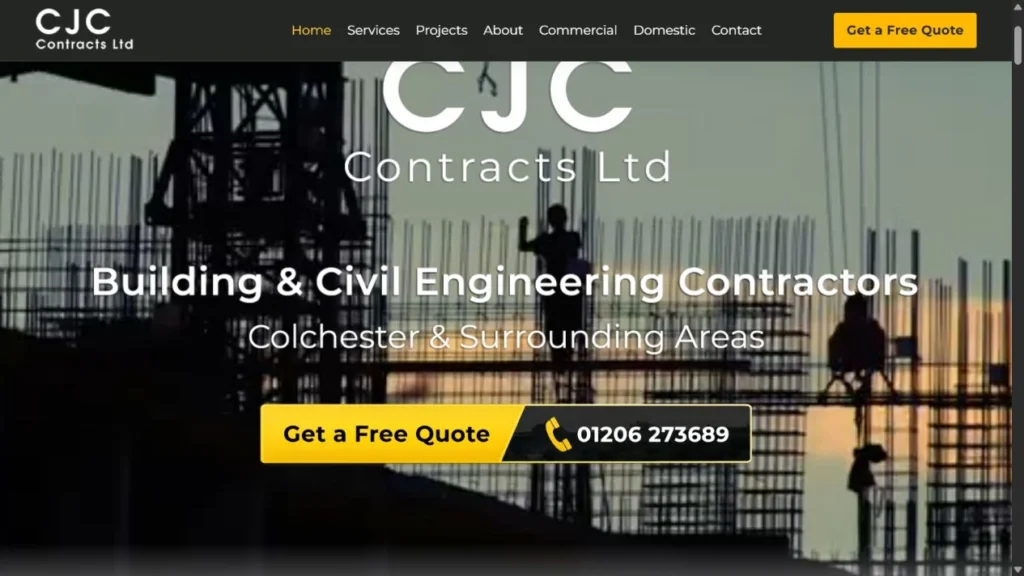
We build websites for businesses across Suffolk, Essex and beyond, and because we’re a photography and video team, we can create the content that goes on them too. You can see how we approached one project in our CJC Contracts website redesign. If your site needs better images, our commercial and brand photography is a good place to start. For costs, see our pricing page, or get in touch and tell us what your website needs to do.
Frequently asked questions
Can I make my own website for free?
Some builders offer free plans, but they usually come with their own branding and a subdomain rather than your own address. For a business, a custom domain and a paid plan or hosting look far more trustworthy.
How long does it take to build a website?
A simple site can go up quickly if the content is ready. In practice, gathering words, photos and video is what takes longest, so start on content early.
Do I need a blog on my business website?
Not always, but helpful articles that answer customers’ questions give people more ways to find you through search and show you know your stuff.
Should I build the website myself or hire someone?
If you’re confident with a website builder and have time, doing it yourself can work. Hiring someone makes sense when you want strong planning, copy and visuals, or simply need your time back.