
How to Fix Shaky Hands Photography: 9 Tricks Pros Use for Pin-Sharp Shots

If you want to know how to fix shaky hands photography problems, the quickest win is a faster shutter speed: as a rule of thumb, at least 1/(focal length) of a second, so 1/50s on a 50mm lens. After that, it’s about technique and support: switch on image stabilisation, hold the camera close to your body, brace against something solid and press the shutter gently. Everyone’s hands move a little. Professional photographers just build habits that stop that movement showing up in the picture.
Below are nine tricks that work on any camera, and most of them on a phone too.
First, is it really camera shake?
Not every blurry photo is caused by shaky hands. Before you fix the wrong thing, zoom in on the image and look at what’s soft.
| What you see | Likely cause | Fix |
|---|---|---|
| Everything is blurred, often with a slight “double” edge in one direction | Camera shake | Faster shutter speed, better support, stabilisation |
| The background is sharp but the moving person is blurred | Subject movement | Much faster shutter speed; stabilisation won’t help |
| Something in front of or behind your subject is sharp, but not the subject | Missed focus | Check your focus point or focus mode |
| The whole image is soft and hazy, but not streaky | Dirty lens or heavy noise reduction | Clean the lens, check your settings |
If it’s camera shake, read on.

How to fix shaky hands photography: 9 tricks pros use
1. Use the reciprocal rule for shutter speed
The reciprocal rule is the starting point for sharp handheld shots: use a shutter speed of at least 1 divided by your focal length. A 50mm lens needs around 1/50s, a 200mm lens around 1/200s. Longer lenses magnify every wobble, so they need faster speeds.
On a camera with a smaller sensor, multiply the focal length by the crop factor first. Most APS-C cameras are 1.5x (Canon’s are 1.6x) and Micro Four Thirds is 2x, so a 100mm lens on a Micro Four Thirds body behaves like 200mm and needs about 1/200s. On today’s high-resolution cameras, many photographers go a stop faster again, because the extra detail shows the smallest movement.
Treat it as a guide, not a guarantee. If your hands are less steady than most, or it’s windy, give yourself more margin.
2. Turn on image stabilisation (and know its limits)
Most modern lenses and cameras have stabilisation, either in the lens, in the camera body (sensor-shift) or both. It counters small movements while the shutter is open and can let you shoot several stops slower than the reciprocal rule suggests. Manufacturers often quote anywhere from around three to eight stops, depending on the system.
Two things to remember. First, stabilisation fixes your movement, not your subject’s: a fidgeting child still needs a fast shutter speed. Second, many manufacturers recommend switching it off when the camera is on a tripod, because it can cause blur when there’s no movement to correct. Check your camera’s manual.
3. Raise the ISO rather than accept a slow shutter
Plenty of people keep ISO low because they’re worried about noise (grain). A little noise is far easier to live with, and to clean up in editing, than blur, which can’t really be fixed. Modern cameras cope well at higher ISO settings. Try Auto ISO with a minimum shutter speed set, so the camera raises the ISO before it lets the shutter speed drop too low.
4. Hold the camera like a professional
How you hold the camera makes a bigger difference than most people expect.
- Use the viewfinder if you have one. Pressing the camera to your face adds a third point of contact. Holding it out at arm’s length to see the screen is the least stable way to shoot.
- Support the lens from underneath with your left hand, palm up, rather than gripping the sides.
- Tuck your elbows into your body instead of letting them stick out like wings.
- Stand with your feet about shoulder-width apart, one slightly in front of the other.
On a phone, hold it with both hands and keep your elbows in, rather than shooting one-handed.
5. Brace against something solid
Walls, door frames, fence posts, tables and railings are all free tripods. Lean your shoulder against a wall, rest your elbows on a table, or kneel and rest an elbow on your knee. Sitting down is steadier than standing. Event photographers do this all the time during speeches and presentations, when they need slower shutter speeds in dim rooms.
6. Breathe out and squeeze the shutter
Stabbing at the shutter button jolts the camera at exactly the wrong moment. Instead:
- Half-press to focus.
- Breathe in, then breathe out slowly.
- At the end of the breath, gently roll your finger down to take the shot.
- Keep still for a moment afterwards, rather than lowering the camera straight away.
On a phone, tapping the on-screen button can move the whole handset. Many phones let you use a volume button as the shutter, which is usually steadier.
7. Shoot in short bursts
When you hold the shutter down in burst (continuous) mode, the first frame often carries the jolt of the button press, while the frames after it can be steadier. Take three or four frames and keep the sharpest. It’s a simple trick photographers use in low light, when every fraction of a second counts.
8. Let a timer or remote press the button
If your subject isn’t moving, take your finger out of the equation. A two-second self-timer gives the camera time to settle after you press the button. A wireless remote or your camera maker’s phone app does the same. This works brilliantly for landscapes, interiors, product shots and group photos, and on phones too.
9. Use a tripod, monopod or beanbag
When the light is low or the lens is long, support beats technique. A tripod gives you the most stability and lets you use slow shutter speeds on still subjects. A monopod is quicker to move and fits in crowded spaces, which is why you’ll see them at sports and events. A small beanbag on a wall or car roof is cheap and surprisingly effective. On a phone, a small tabletop tripod or clamp works well.
A quick cheat sheet for sharp handheld shots
- Still subject, standard lens: 1/(focal length × crop factor) or faster, stabilisation on.
- People talking or posing: around 1/125s or faster to freeze small movements.
- Kids, pets and walking subjects: 1/250s or faster.
- Sport and fast action: 1/1000s or faster.
- Low light: raise the ISO, open the aperture, brace yourself and shoot in short bursts.
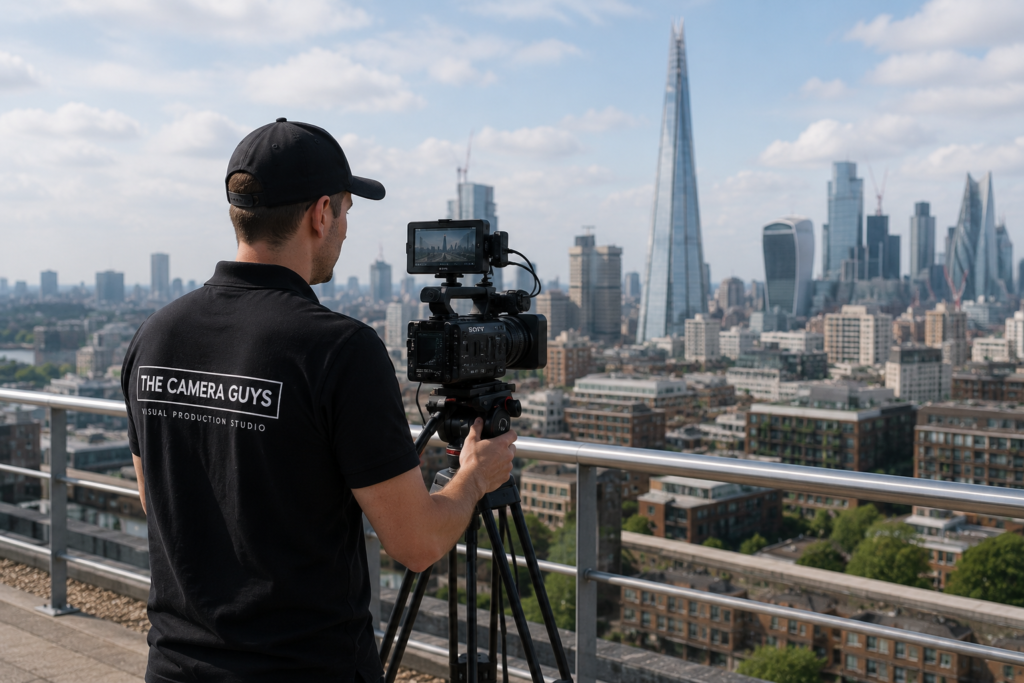
What about phone photos?
Phones have a few extra tricks built in. Their stabilisation and multi-frame processing do a lot of work in the background, but in low light and night modes the phone may need you to hold still for a second or more. Keep both hands on it, keep your elbows in and don’t move until the capture finishes. Avoid heavy digital zoom, which magnifies shake along with the subject. If you need a tighter shot, step closer instead.
When a professional photographer is the better fix
These tricks will make a real difference to your own photos. But if the pictures matter, such as staff headshots, an event, a product launch or property for sale, it can be quicker and more reliable to hand it to a professional who brings the right lenses, lighting and support and knows how to get sharp images in tricky rooms.
We cover headshot photography, event photography and property photography across Suffolk, Essex, London and the East of England. If you’d rather do it yourself, we also offer tripod and grip hire and lens hire. Not sure which route suits you? Our guide to professional photography vs smartphone photography will help, or get in touch.
Frequently asked questions
Why are my photos blurry even when I hold still?
The shutter speed is probably too slow for the focal length, or the subject is moving. Check the shutter speed in your photo’s details and aim for at least the reciprocal rule. If the background is sharp but the person isn’t, it’s subject movement, so go faster still.
Can you fix a blurry photo in editing?
Sharpening and AI tools can improve slightly soft images, but they can’t fully recover real detail lost to shake or motion blur. It’s far better to get it sharp in the camera.
Does image stabilisation fix blurry photos of moving people?
No. Stabilisation only counters the camera’s movement. To freeze a moving subject you need a faster shutter speed.
What’s the slowest shutter speed I can hand-hold?
It depends on your lens, your camera’s stabilisation and how steady you are. Test it: take a series of shots at slower and slower speeds, then zoom in to see where they start to soften.