
What Is a Webinar? Formats, Costs and When It Beats a Video

What is a webinar? It’s a seminar held over the internet: a presenter or panel speaks to an audience who join online, usually with slides or a demo on screen and a way for viewers to ask questions. The name is simply “web” plus “seminar”. Unlike a video call, a webinar is built for one-to-many: the audience mostly watches and listens, and interaction happens through chat, Q&A and polls.
So what is a webinar good for, what does it cost, and when should you make a video instead? We plan and stream live events for businesses and organisations, so this is the practical version.
What is a webinar, and how is it different from a meeting or a live stream?
The three get mixed up, because the same software can often do all of them. The difference is in who talks and how people join.
| Online meeting | Webinar | Public live stream | |
|---|---|---|---|
| Who speaks | Everyone | Presenters and panellists | Presenters only |
| How people join | Invite link | Usually registration | Open link on YouTube, LinkedIn or a website |
| Audience interaction | Cameras and microphones | Chat, Q&A, polls, raised hands | Comments |
| Who you know attended | Everyone | Registered attendees | Usually only view counts |
| Typical use | Team work and discussion | Training, launches, lead generation | Events, performances, announcements |
The registration step is a big part of why businesses use webinars. You know who signed up, who turned up and what they asked, which makes follow-up far easier than with an anonymous stream.
Common webinar formats
Most webinars fall into one of these shapes. Picking the right one shapes everything else, from the software to how many people you need behind the scenes.
Single presenter with slides
One speaker, a slide deck and a Q&A at the end. The simplest format and the easiest to run from a laptop, but also the easiest for viewers to drift away from. Keep it short and break up the slides with live demos or questions.
Panel or interview
A host and two to four guests in conversation. Panels feel more natural than a lecture and suit industry discussions and thought leadership. They need a good host who keeps things moving and makes sure every guest gets a fair share of time.
Product demo or training session
A screen share or a camera on the product, with someone talking viewers through it step by step. These work well because the audience can ask about their own situation in real time.
Pre-recorded or “simulive”
The presentation is recorded in advance and played out at a set time, with a real person answering questions in the chat. It removes the risk of a live presentation going wrong, but you should be honest that it’s pre-recorded if anyone asks.
On-demand
A recording of a past webinar that people can register for and watch at any time. Many webinars get more viewers this way than they did live.
Hybrid
A presentation in front of a room of people, filmed and streamed to an online audience at the same time. This is the most demanding format, because you’re serving two audiences at once, with different sound, camera and interaction needs.
What does a webinar cost?
A webinar can cost next to nothing or several thousand pounds, depending on how it’s produced. The costs fall into four groups.
1. The platform
- Tools you may already pay for. Many organisations can run a basic webinar on software they already have. Microsoft’s own documentation, for example, says organisers on Teams Enterprise can host webinars with up to 1,000 fully interactive attendees, with larger view-only events beyond that. Check what your own licence includes before buying anything new.
- Dedicated webinar software. Platforms such as Zoom Webinars are usually sold as a monthly or annual subscription, priced by the size of audience you need. Costs rise steeply as the attendee cap goes up, so size the plan to the audience you realistically expect.
- Free streaming platforms. YouTube Live and LinkedIn Live cost nothing to broadcast on, but you lose most of the registration and attendee data that make a webinar useful for sales.
2. Equipment
A laptop webcam and built-in microphone will work, but they’re the first thing viewers notice. A decent external microphone, a light in front of the presenter and a stable internet connection (wired rather than Wi-Fi if possible) make the biggest difference for the least money.
3. Production
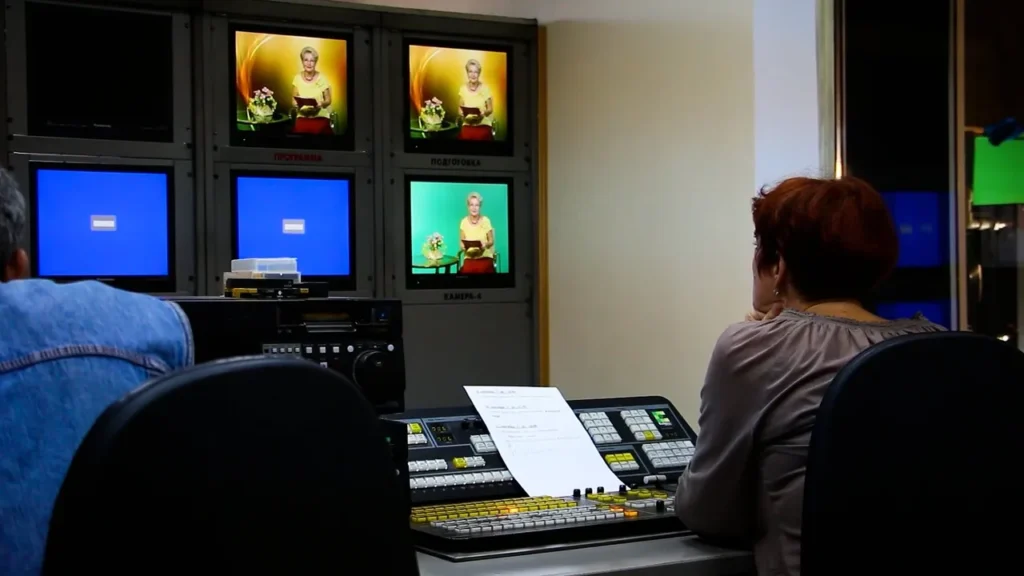
For high-stakes webinars, such as a product launch, a conference session or a client-facing event, many organisations bring in a crew. That can mean multiple cameras, professional sound, a vision mixer switching between speakers and slides, graphics and a dedicated operator watching the stream. It costs more, but it removes the risk of the presenter trying to manage the tech and the talk at the same time. Our pricing page shows how we put together live production quotes.
4. The hidden costs
The parts people forget to budget for are usually time rather than money: writing and rehearsing the presentation, promoting it so people register, a technical run-through, and editing the recording afterwards so it’s worth sharing.

When a webinar beats a video (and when it doesn’t)
Webinars and pre-made videos do different jobs. A lot of organisations need both.
Choose a webinar when
- The questions matter as much as the content. Training, product demos and expert Q&As benefit from the audience asking about their own situation.
- Timing is the point. Launches, announcements and updates feel more significant when people experience them together, live.
- You want leads. Registration gives you names and interests, and the attendees have already shown they care about the topic.
- The content changes often. If the information will be out of date in three months, a webinar can be cheaper than polishing a video that won’t last.
Choose a video when
- The message needs to be perfect. A brand film, testimonial or explainer can be scripted, reshot and edited until every line works.
- It needs to work for months or years. A good video on your website or social channels keeps working without anyone having to present it again.
- Attention is short. A two-minute video will reach people who would never block out an hour for a webinar.
- The presenter isn’t comfortable live. Not everyone shines in front of a live audience, and that’s fine. A recorded interview can show them at their best.
The best answer is often both
A well-run webinar produces material you can keep using. Edit the recording into an on-demand version, cut the best answers into short clips for social media, and turn the most useful section into a standalone how-to video. One hour live can become weeks of content, which is a large part of what makes the effort worthwhile.
How to run a webinar people actually stay for
- Keep it shorter than you think. Plan the content to fit comfortably in the time, with room for questions.
- Open with the useful bit. Don’t spend the first ten minutes on introductions and housekeeping.
- Rehearse with the real setup. Same room, same laptop, same internet connection, same slides.
- Have a second person behind the scenes. Someone to manage the chat, let people in and deal with problems, so the presenter can concentrate.
- Get the sound right first. Viewers forgive soft pictures far more readily than bad audio.
- Follow up quickly. Send the recording and any promised resources while the session is still fresh.
Getting help with webinars and live streams
If your webinar is a one-off internal update, a laptop and a decent microphone will usually be enough. If it’s representing your organisation to clients, members or the public, it’s worth having a crew handle the technical side. We run webinar and presentation streaming and wider live streaming across Suffolk, Essex, Cambridgeshire, Norfolk, Hertfordshire and London, including hybrid events with both a room and an online audience. Afterwards we can turn the recording into shorter edits through our video repurposing service.
Frequently asked questions
What is a webinar in simple terms?
It’s an online presentation or seminar. One or more people present, and an audience watches over the internet and can usually ask questions through chat or a Q&A tool.
How long should a webinar be?
There’s no fixed rule, but most business webinars run somewhere between 30 and 60 minutes including questions. Shorter is usually better if you can cover the topic properly.
Can attendees see each other in a webinar?
Usually not. In most webinar software, attendees can see the presenters but not each other, and their cameras and microphones are off unless the host invites them to speak.
Do I need special software to run a webinar?
Not always. Many video-calling tools have a webinar mode, and you may already have access through your existing licence. Dedicated webinar platforms add features such as custom registration pages, larger audiences and detailed attendee reports.
Should I record my webinar?
Almost always, as long as you tell attendees it’s being recorded. The recording can be shared with people who registered but couldn’t attend, and edited into shorter videos afterwards.