
Corporate Photography for LinkedIn, Websites and Marketing
Corporate photography becomes much more useful when you stop treating it as a request for “some nice pictures of the team”.
The photograph needed for a LinkedIn profile has a very different job from a homepage hero. A service page may need to show a real process. A recruitment campaign may need people interacting naturally. A press release could require a clean portrait with plenty of room around it. Paid advertising might need several compositions from the same setup so copy can sit in different places.
Those images can still feel like one visual family. They just should not all be expected to come from the same frame.
That is the real opportunity with a well-planned corporate photography shoot: create a coherent library that is flexible enough to work across the places your business actually communicates.
Start with where the photographs will be used
Before writing a shot list, look at the live layouts.
Open the company website. Look at the homepage, about page, team page, services, case studies and careers section. Check personal LinkedIn profiles as well as the company page. Pull up current campaign templates, brochures, presentations, email headers and any regular social formats.
This sounds obvious, but it changes the shoot dramatically.
A website designer may need a wide image with clear space on the left for a headline. A LinkedIn profile image needs the person's face to remain recognisable when displayed very small. A service page might need a medium-wide photograph showing somebody actually doing the work. A campaign may need portrait and landscape options from the same scene.
If nobody checks those layouts until after the shoot, the marketing team is left trying to force good photographs into shapes they were never designed for.
A simple planning table is often enough:
| Use | What the image needs to do | Useful coverage |
|---|---|---|
| LinkedIn profile | Make the individual easy to recognise | Clean headshot, simple background, comfortable expression |
| Team page | Present people consistently | Matching headshots or environmental portraits |
| Homepage | Establish the organisation quickly | Strong wider image with deliberate copy space |
| Service page | Show evidence of the service | People, process, environment and detail |
| Recruitment | Help candidates picture the workplace | Real teams, interaction, working environment |
| Social media | Give regular posts visual variety | Portrait, landscape and vertical working scenes |
| Campaign / advertising | Carry a specific message | Controlled variations with room for design and copy |
You do not need to arrive with this completely solved. A good corporate photographer should help translate the communication need into photographs. But knowing the destinations makes that conversation far more productive.
LinkedIn photography needs recognition before spectacle
For an individual LinkedIn profile, the photograph has one very simple job: people should be able to recognise the person.
That normally means a reasonably close crop, a controlled background and an expression that suits the role without making the person look as though they have been forced into a corporate identity photograph.
Consistency matters when a whole team is being photographed, but consistency does not have to mean cloning everybody.
You can keep the lighting, camera height, background and crop consistent while allowing people to retain some individuality in expression, posture and clothing. That usually produces a stronger team page too.
The difficult part is often not the camera setup. It is making people comfortable enough to look like themselves.
Rushing somebody in front of the camera, telling them to “act natural” and then correcting six things about their posture at once is rarely helpful. Clear, small pieces of direction work better. We go into that in more detail in our guide to getting better staff photos without awkward posing.
It is also worth deciding how new starters will be added later. If a business expects the team to grow, record the important parts of the setup: background, lighting direction, camera position, framing and final crop. A new employee photographed nine months later should not look as though they joined a completely different company.
Your website needs more than headshots
A surprisingly common problem is a corporate photography library containing dozens of perfectly good portraits and almost nothing that shows what the company actually does.
Headshots answer “who are these people?”
They do not necessarily answer:
- What happens here?
- What does the service involve?
- What does the workplace feel like?
- What does the product look like in use?
- What makes this organisation different from another company saying similar things?
Website photography works best when different pages have different visual roles.
A homepage image may need to establish the organisation in seconds. An about page can introduce people and place. A service page benefits from evidence: the real process, equipment, interaction or environment behind the description. A case study may need the people involved, the problem, the work and the outcome.
This is why generic photographs of people smiling in meeting rooms become repetitive so quickly. They may be technically fine, but they do not give each page anything specific to say.
When we plan brand photography, we often start with the claims a business makes and ask what visible evidence could support them. “Hands-on” might mean photographing a real process. “Local manufacturing” needs the actual workshop, people and materials. “Personal service” may be better shown through a genuine customer interaction than another posed team photograph.
The photograph should help the page make its point.
A website hero needs to be composed for the layout
One of the easiest photographs to get wrong is the hero image at the top of a page.
It is tempting to centre the most interesting person or object and fill the frame. That might create a strong standalone photograph, but it can leave nowhere for the website's headline, navigation or call to action.
If the design places text on the left, the photographer can deliberately move the subject towards the right. If the mobile version crops heavily, a second composition may be needed rather than trusting one landscape frame to survive every screen size.
The important thing is to know this before the set is dismantled and everybody goes back to work.
When a useful scene is ready, it often takes very little extra time to create:
- a tighter portrait;
- a wider landscape version;
- a vertical composition;
- a frame with copy space on one side;
- and a cleaner alternative without somebody or something that may date quickly.
That is far more reliable than trying to manufacture flexibility with aggressive cropping afterwards.
Marketing photography needs controlled variation
Campaign imagery sits somewhere between documentation and design.
The photographs still need to look truthful to the business, but they may also need to carry headlines, calls to action, logos or campaign graphics. One photograph might be used on a landing page, another as a LinkedIn post and another in a printed brochure.
The answer is not to shoot hundreds of random variations.
It is to make controlled changes while the right people, lighting and location are already in place.
If we are photographing somebody using a product, for example, we might capture a wider establishing frame, a medium working shot, close details, expressions, different camera positions and a few compositions with deliberately clear areas for text.
The subject remains consistent. The options become more useful.
This is one reason we recommend thinking in terms of a photography library rather than a collection of individual hero shots.
Environmental portraits can do more than a plain headshot
Not everybody needs to be photographed against the same neutral wall.
For some roles, an environmental portrait tells the viewer something useful. An engineer photographed in the relevant working environment, a maker in a workshop or a director within an identifiable workplace can communicate role and context immediately.
That does not mean every background should be busy.
The environment should contribute to the picture rather than compete with the person. Confidential screens, third-party branding, temporary clutter and distracting safety issues need checking before the shutter is pressed.
A useful shoot often contains both approaches: consistent headshots for directories and profiles, plus a smaller number of environmental portraits for feature pages, campaigns or press use.
Photograph the work while it is actually happening
Some of the most valuable corporate photographs are not portraits at all.
They are the frames that make the business tangible: a production process, a customer conversation, machinery in use, hands performing a skilled task, a product being checked, a team solving something together or the wider setting in which the work happens.
Where possible, use real activity rather than asking people to mime something unfamiliar for the camera.
That can require more planning. The activity may happen at a fixed time. A particular member of staff may be the only person allowed to perform it. A production area might require PPE or an induction. Customer information may need removing from screens. A location may only be accessible for a short window.
These are exactly the reasons to prepare for a corporate photography shoot properly rather than relying on a list of generic photographs once the photographer arrives.
One real production: Power-Zero at Denby Pottery
Our work for Power-Zero at Denby Pottery is a good example of why a broader library can be useful.
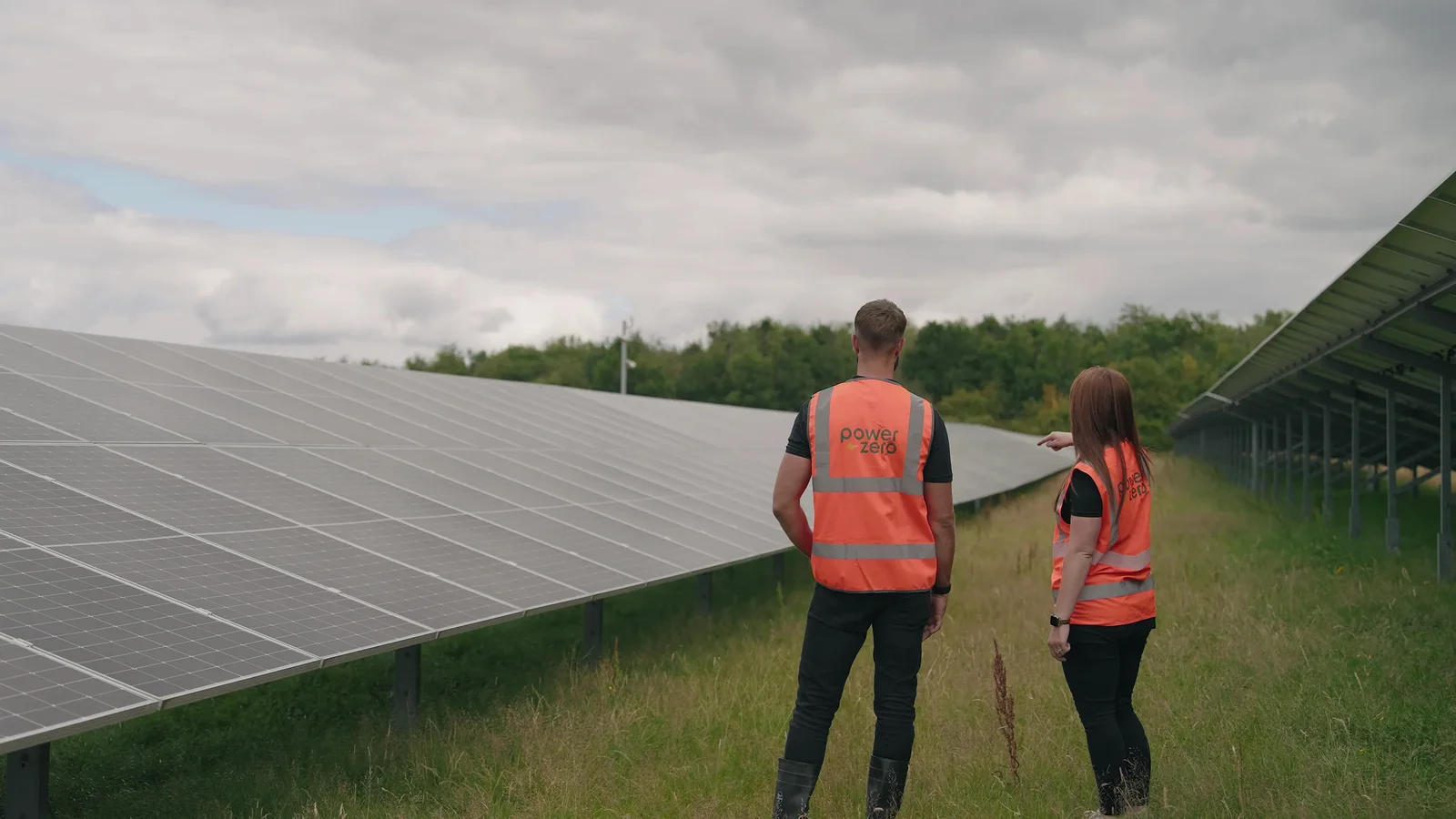
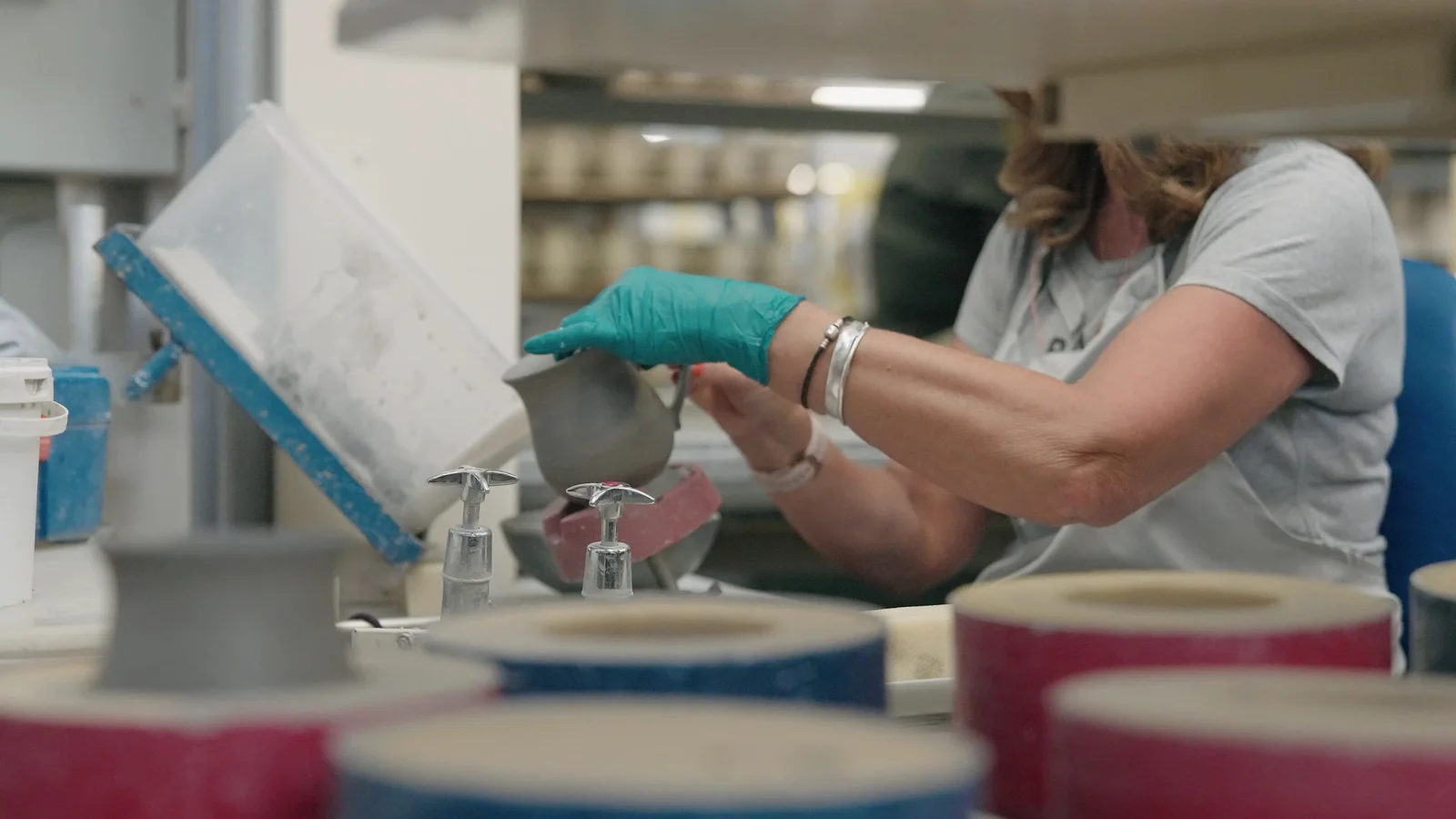
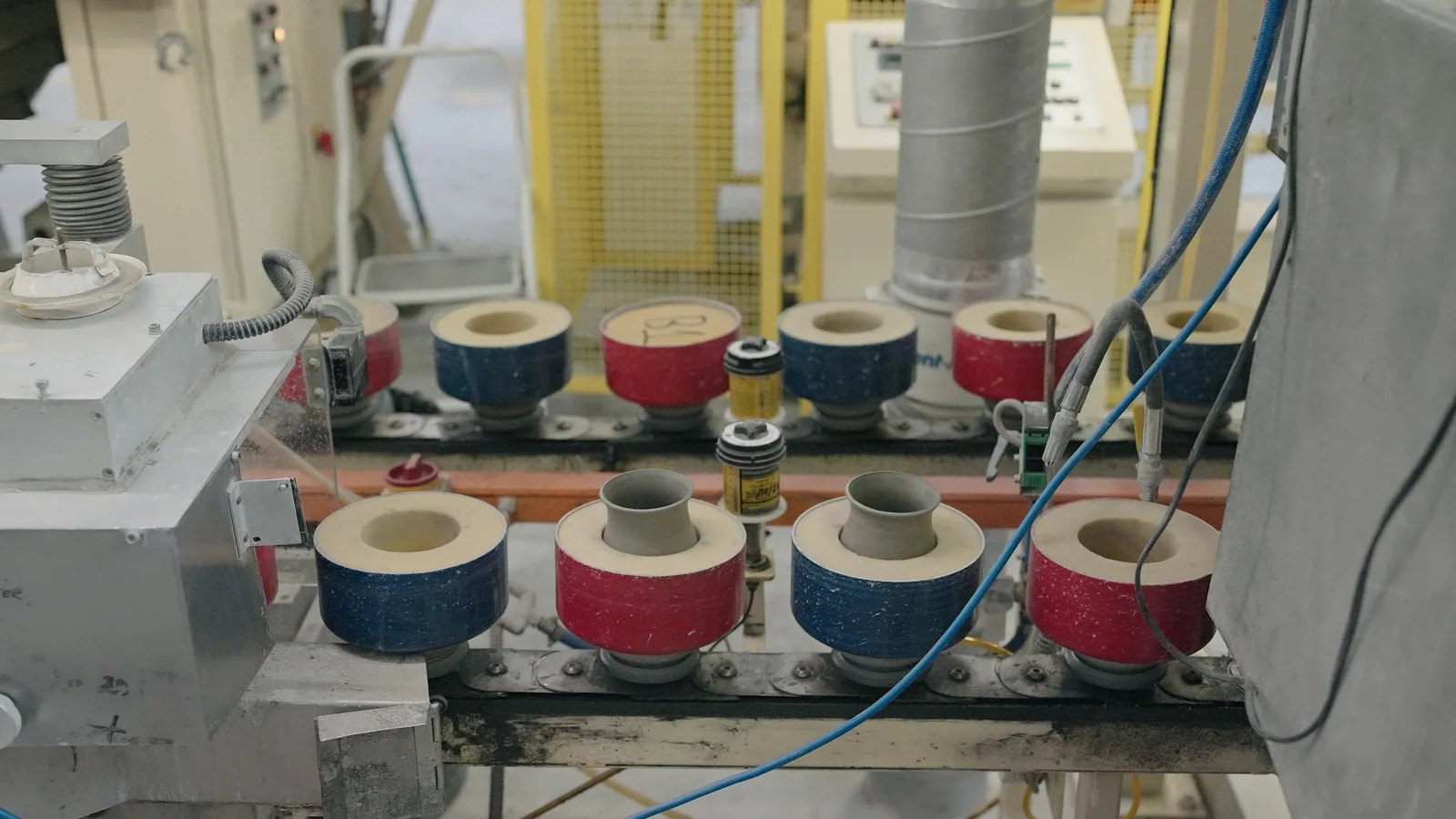
The commission combined a corporate case-study film with professional photography on the same production day. The story was not just the solar installation. It also involved the working factory, Denby products, the people responsible for the project and the relationship between the energy infrastructure and the business it supported.
We sent a videographer and a photographer so both disciplines could work at the same time without repeatedly stopping one another. The photographer could build a stills library around the array, factory, people and project while the videographer concentrated on interviews, sequences and sound.
You can see the finished project in the Power-Zero × Denby Pottery case study.
That approach is not necessary for every job. A straightforward headshot session does not suddenly need a production crew. But when a company already has key people, locations and activity available, it is worth asking what other useful material could reasonably be captured while everything is together.
If you need photography and video, plan them together
Photography and video can complement one another extremely well, but they do not need exactly the same thing from a scene.
A photographer may want a decisive fraction of a second with clean expressions and hands in the right position. Video needs an action to develop over time. An interview setup must protect sound. A still portrait may need the subject to hold a position that would look unnatural if maintained in moving footage.
When both are being commissioned, share one brief and one schedule.
Decide which moments are genuinely simultaneous and which should be handed from one discipline to the other. For larger productions, separate operators often make sense. Our corporate video production work can include photography in the same overall plan when the brief calls for both.
The important thing is that the stills do not become an afterthought squeezed into five minutes after the filming has finished.
Plan for people who are not there yet
Corporate photography is often commissioned for the current team, but the library may need to survive staff changes.
For headshots, record enough about the visual setup to recreate it later. For workplace imagery, avoid making every key website page dependent on one employee unless that person is genuinely central to the story. Capture some useful details, process imagery and wider scenes that can remain relevant even when individual roles change.
The same principle applies to uniforms, branding, product versions and locations.
Some images are intentionally time-specific. Others should be designed to last.
Knowing which is which helps decide where to spend time during the shoot.
Think about permission and intended use before publication
A photograph that is suitable for an internal staff directory is not automatically suitable for a paid advertising campaign.
Before the shoot, agree what the images are likely to be used for and make sure the organisation has an appropriate process for informing participants and managing permissions, licences and any restrictions that apply to the project.
That becomes particularly important when customers, children, members of the public, partner organisations or third-party locations appear in the imagery.
From a practical photography point of view, it also helps to know whether an image is expected to live for years on a website or only for a short campaign. Time-limited partnerships, old uniforms, temporary signage and departing staff can all shorten the useful life of a photograph.
Deliver a library people can actually find
A successful shoot can easily produce more photographs than the marketing team remembers six months later.
Good delivery matters.
Keep high-resolution masters separate from web-sized exports. Use sensible folders or collections. Record names and roles where they matter. If the business has restrictions or expiry dates attached to particular photographs, keep that information somewhere the people using the images will actually see it.
Do not make somebody download an old LinkedIn image and use it as the master file for a brochure because nobody knows where the original went.
The photography should become part of the organisation's usable asset library, not disappear into a download folder called final_final_2.
A useful corporate photography brief can be surprisingly short
You do not need to art-direct every frame before speaking to a photographer.
A useful starting brief could simply say:
We need a new photography library for our website, LinkedIn and recruitment activity. There are 18 staff who need consistent headshots. The website redesign also needs a wide homepage image, workplace photography for four service pages and several vertical images for recruitment posts. We would like the pictures to feel professional but not overly formal. The office remains operational during the day, and two technical staff are only available between 10am and midday.
That gives the photographer something meaningful to plan around.
From there, the shot list, locations, schedule, lighting and visual approach can be developed together.
If you are starting from scratch, our guide to planning a brand photography shoot goes deeper into building the wider library. If the immediate job is organising the people and location, use the corporate photography preparation guide.
One visual identity, different jobs
The strongest corporate photography libraries feel consistent without becoming repetitive.
Your LinkedIn headshot should look as though it belongs to the same organisation as the website. The website photography should feel connected to the marketing campaign. The campaign images should still look like the real company rather than a stock library wearing your logo.
But consistency does not mean asking one photograph to do everything.
Plan for the places the images will actually appear. Give each frame a job. Capture useful variations while the right people and locations are available. Keep the files organised once the shoot is over.
That is how a photography day becomes a library your business can keep using rather than a handful of attractive images that only fit one page.
If you are planning new headshots, website imagery or a wider corporate photography library, tell us what you need the photographs to do. A finished shot list is useful, but a rough brief and the layouts you are working with are enough to start.