How Often Should a Business Update Its Photography?

A three-year-old photograph of your workshop might still be perfectly useful. A team photograph taken three weeks ago might already be missing your newest recruit.
Age is a reason to check an image, not automatically replace it.
As a starting point, review your business photography every six to twelve months, and whenever something significant changes. That is a suggested review schedule, not a requirement to book a photographer twice a year. For a business regularly launching products, hiring people or completing projects, a quarterly check may be more practical.
The shoot itself should follow what you find. You might need a few new portraits, photographs of a new service or a wider update after moving premises. You might also discover that most of your existing pictures are still doing their job.
Start with what customers can actually see
Open your website before opening your image folder. Look through the homepage, team page, product listings and any pages used in sales conversations. Then check the brochures, presentations and company profiles your colleagues are sending out.
Does the team page introduce the people a customer would deal with now? Is that still the entrance visitors should look for? Does the product in the photograph match the version you are selling?
Make a note of the affected page or document, not just the photograph. Otherwise, you can commission the right replacement and still leave the wrong image in a sales presentation for another year.
Be careful not to treat every old photograph as a mistake. A dated project gallery has a different job from a page introducing your current team. There is no editorial reason to replace an accurate photograph of a completed project just because the office, branding or people have changed since then. Keep the historical context clear and check that its continued use is appropriate.
Different photographs need different timetables
Use the subject of the photograph to decide when to revisit it. These are useful triggers, rather than expiry dates.
| Photographs | When to review them |
|---|---|
| Staff portraits and team pictures | When people join or leave, or a portrait no longer represents someone well. Check current names and roles at the same time. |
| Products and packaging | Before launching a new version, colour, finish or pack design. Check that the images belong to the item customers will receive. |
| Premises and working environments | After a move, refurbishment or meaningful change to the facilities, equipment or work being shown. |
| Campaign and seasonal images | While planning the next campaign. Decide which pictures still fit the message and which scenes you have not covered. |
| Completed projects and past events | When reusing them. Check the date, caption, relevance and usage arrangements rather than assuming older means unusable. |
For portraits, plan a way to add people without starting again each time someone joins. Keep a reference image and ask the photographer to record the background, lighting and framing. Later sessions can then work towards the same look, rather than leaving your team page with a mixture of office portraits, holiday crops and different studio backgrounds. Our guide to planning a company headshot day covers allowing for new starters and people who miss the original session.
For product photography, make the image check part of preparing the launch. If the packaging is changing next month, discuss the availability of final samples before photographing stock that is about to be replaced.
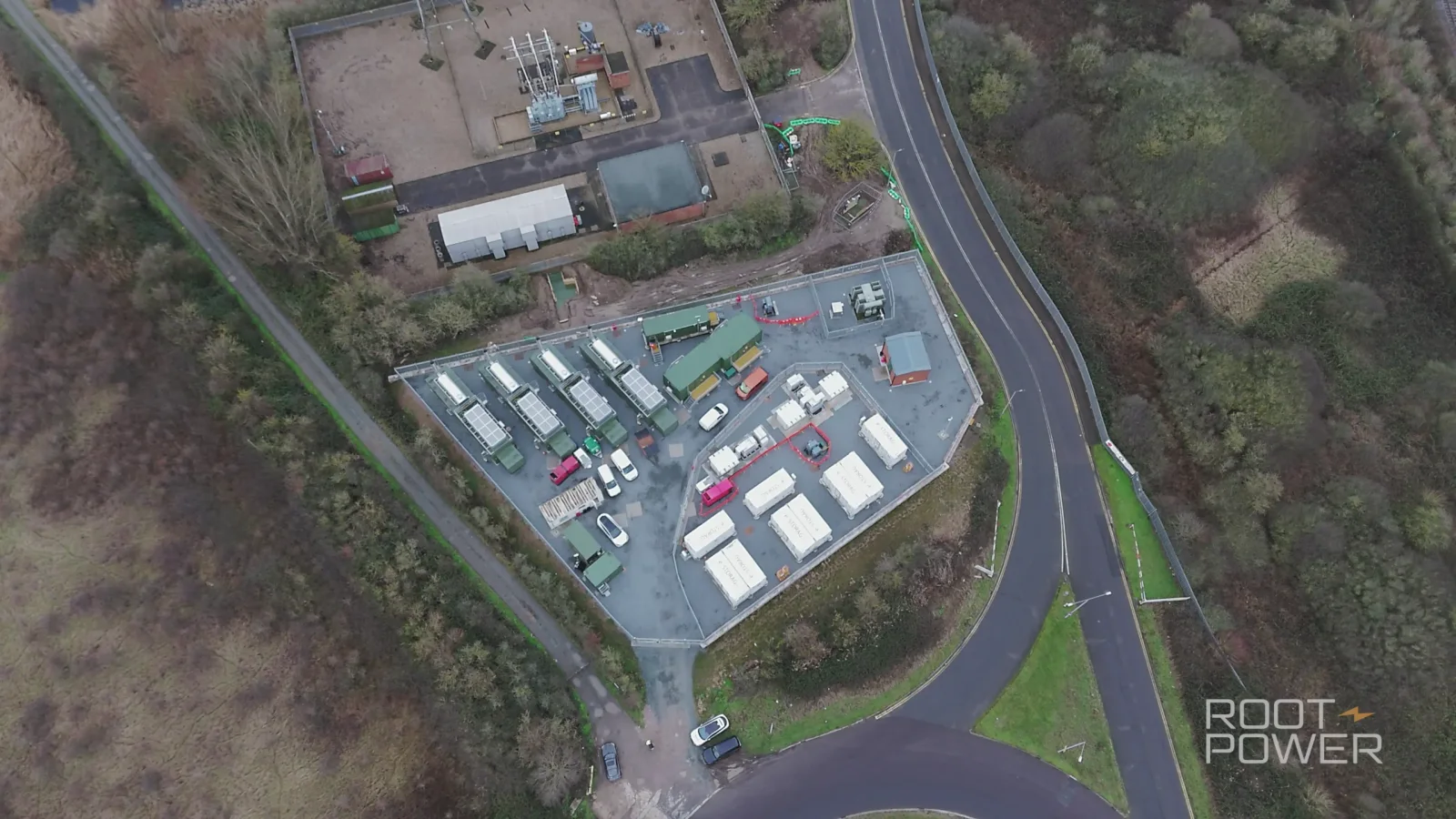
Our Root-Power project library is an example of adding content as a business develops. The work includes films and photography, with commissions covering construction progress, team expertise and completed infrastructure. New material records a new part of the story; it does not make the earlier stages irrelevant.


Sometimes the pictures are current, but still not useful
You may have plenty of accurate photographs and still struggle to find one for a particular job.
Perhaps the website redesign needs a wide image with space for a heading, but every suitable photograph has someone standing exactly where the words need to go. Perhaps your collection is mostly headshots, while the recruitment page needs to show the workplace.
Before booking another shoot, check the full delivered gallery. An alternative frame or a sensible crop may solve the problem. Ask your designer to test it in the actual layout, including the mobile version. Our article on photography for business websites looks at matching the composition to the space it needs to fill.
If the picture really is missing, add that specific requirement to the brief. "A landscape photograph of the customer support team, with room for text on the left" gives the photographer more to work with than "some fresh content".
Also ask who is bored with the existing images. Seeing the same photograph every working day is different from encountering it for the first time as a prospective customer. Before replacing a strong image because the marketing team is tired of it, consider another placement or an unused photograph from the same set.
A small update or a fresh start?
A focused brief might read:
"The existing website photographs still work. We need portraits of four new colleagues in the same style, pictures of the refurbished reception and one wide image for our new service page."
That is a useful photography booking. There is no need to add a full team reshoot simply to make it feel like a bigger project.
Give the photographer examples of the pictures you are keeping as well as the gaps. Agree what needs to match and where there is room for a different approach. Ask how much time the different setups require; four portraits and a reception photograph are not just five presses of the shutter.
A wider refresh makes more sense when the changes run through most of the collection. A new identity, different premises and a substantially changed team may leave very little worth matching. In that case, work through the intended uses together and plan a coherent set rather than replacing images one by one without an overall view. The brand photography planning guide will help you turn that into a shoot brief.
Time the photography around what will actually be ready. Allow for finished signage, approved packaging, available staff and your designer's deadline. A launch date is not a delivery date: leave time to choose, edit and place the photographs before anything goes public. Our corporate photography preparation guide covers getting the people and spaces ready.
At The Camera Guys, we plan business photography around the people, locations and finished images required. Send us the pages you are updating and a few examples of what you already have. That gives us a basis for discussing whether you need a short return visit or something more substantial.


Finish the update, not just the shoot
Once the new photographs arrive, go back to the pages and documents you identified at the start. Replace the affected images, check the captions and crops, and tell the people using the collection where the approved versions live.
Keep names, subjects and dates with the files. Separate current marketing selections from material that is only suitable for historical use, so a colleague does not accidentally put the old team picture back into next month's presentation.
Check the usage terms as well. A copyright licence can limit how and for how long an image is used, regardless of whether it still looks current. The Intellectual Property Office's licensing guidance explains that distinction. Keep the agreed terms with the images and separately check any relevant participant permissions or restrictions before reusing them.
Finally, ask the people making your marketing materials to keep a note of photographs they cannot find. A running list of missing pictures is a better basis for the next shoot than a general feeling that everything could do with a refresh.
The aim is to have a collection your team can confidently use. Once you have that, keep using it. The next booking should solve a real gap, not celebrate another twelve months passing.