
How to Help Employees Feel Comfortable on Camera
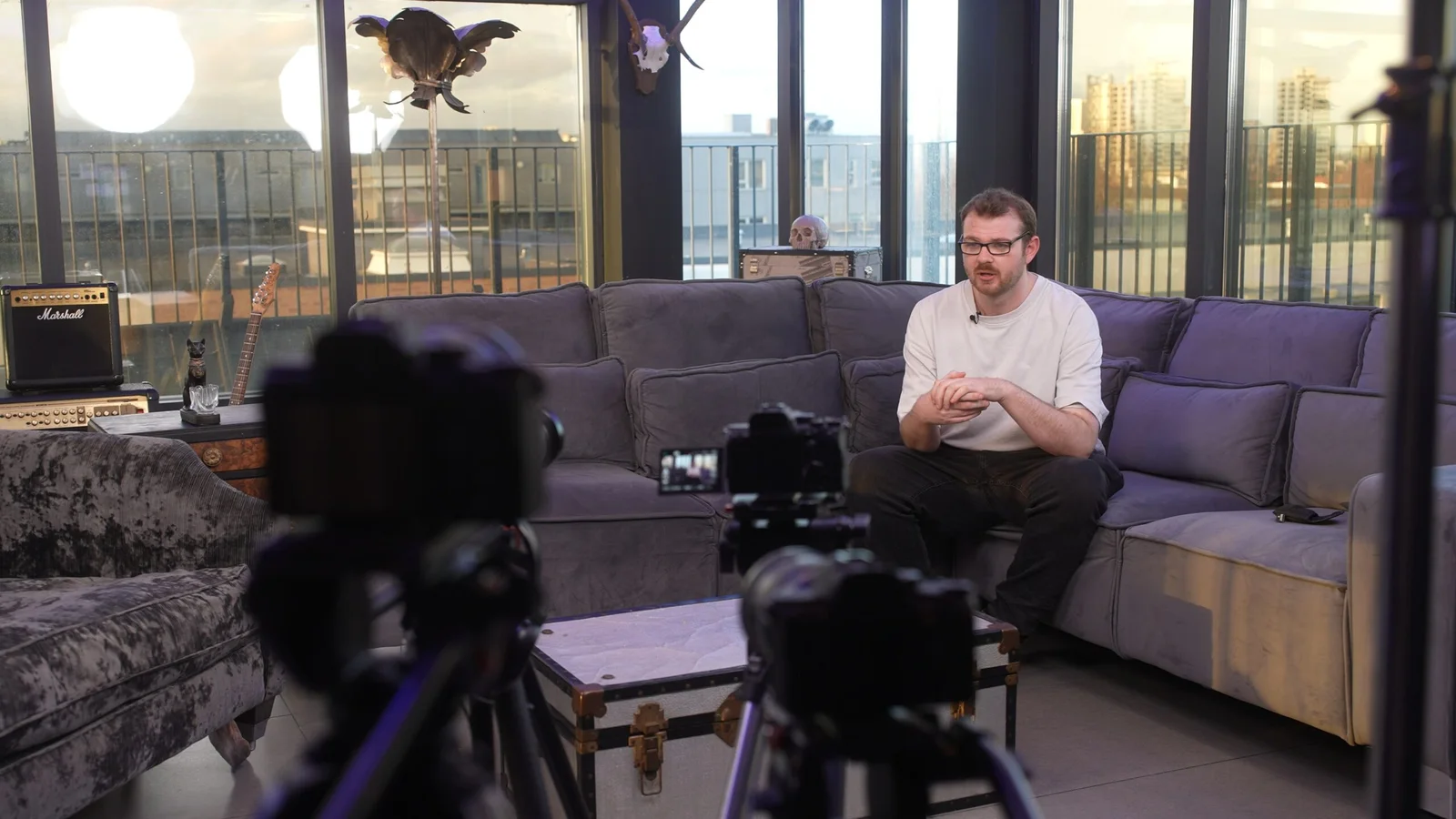
Some of the best people to put in a corporate film are the people least interested in being “on camera”.
They know the work. They can explain what customers actually ask. They understand the process, the product or the organisation in a way a presenter cannot fake.
Then a camera, two lights and a microphone appear and suddenly the person who explains the subject perfectly every day starts trying to remember a sentence they would never normally say.
That does not mean they are bad on camera.
Usually, it means the situation feels unfamiliar.
The answer is not to keep saying “just relax”.
It is to remove as much unnecessary pressure as possible.
When we film corporate interviews, the goal is not to turn employees into presenters. It is to create a setup in which they can talk about something they already understand.
That starts before the filming day.
Choose someone because they know the subject, not because they look confident
A confident speaker is useful.
So is the person who actually knows the answer.
For an employee-led film, the strongest contributor might be:
- the engineer who can explain the problem in plain English;
- the account manager who speaks to customers every day;
- the new starter who remembers what joining the business actually felt like;
- the technician who performs the process being filmed;
- the team leader who understands how the work fits together;
- the person customers already trust.
The managing director does not automatically need to deliver every message.
Nor does the employee who is most comfortable presenting at meetings.
Ask:
Who would I want explaining this to a customer if there were no camera in the room?
That is often the person worth considering.
For a broader company film, different contributors can have different jobs. Our guide to planning a corporate video covers how to divide a story between leadership, specialists, employees and customers without asking everyone the same generic questions.
Tell them what is happening before the crew arrives
People are more likely to feel awkward when they do not know what they have agreed to.
A week before the shoot, they should not still be wondering:
- Am I giving a speech?
- Will I be looking into the lens?
- How long will this take?
- Do I need to memorise anything?
- Will my manager be watching?
- Can we repeat an answer?
- Where is the video going?
- Am I supposed to know exactly what to say?
A short explanation is usually more helpful than a huge production document.
Something like this is enough:
We are filming a short company video for the website. We would like you to talk about how you handle a customer handover because you do that every day. It will be a conversation with the interviewer rather than a speech to camera. You do not need to memorise anything. We will cover three or four topics, and we can pause or repeat an answer whenever needed.
That already removes a lot of mystery.
If the finished film will also be used on LinkedIn, recruitment campaigns, presentations or other channels, say so.
If there is an internal review process, explain that honestly too.
Do not promise someone they will personally approve every frame unless that is genuinely how the project will work.
Do not send them a beautifully written corporate paragraph to memorise
This is one of the fastest ways to make a normal person sound uncomfortable.
A sentence may read perfectly in a brochure:
“Our dedicated multidisciplinary team delivers innovative, customer-centric solutions tailored to the evolving requirements of our diverse client base.”
Then somebody is asked to remember it under lights.
The words are not theirs.
The rhythm is not theirs.
They spend the whole answer trying not to get it wrong.
If the person knows the subject, give them the topic, not the marketing copy.
Instead of:
Please memorise this paragraph about our onboarding process.
try:
We will ask what normally happens after a new customer signs up, what they need to send you and what happens during the first week.
Now they have something real to talk about.
The result will probably contain the same useful information, but it will sound like a person rather than a website.
There are situations where exact wording matters. A technical statement, regulated claim, announcement or tightly timed direct-to-camera piece may need a script.
That is a different production task, and it should be planned as one.
Our comparison of scripted and unscripted corporate video explains when each approach is useful.
Send questions or themes — but not necessarily the “correct answers”
There is a useful middle ground between no preparation and a full script.
Send the contributor the themes you expect to cover.
For example:
Customer service manager
- What usually happens when a new customer gets in touch?
- What information helps you give them a useful answer?
- What tends to surprise customers about the process?
- Can you give an example of a problem the team regularly solves?
Engineer
- What are you checking at this stage?
- What can go wrong if this step is skipped?
- What do you look for before signing the work off?
- What would you want a customer to understand about this process?
Employee for a recruitment film
- What does a normal day actually involve?
- What did you not know about the role before joining?
- What kind of person tends to enjoy the work?
- What have you learned since starting?
The contributor can think about real examples without rehearsing a speech.
That usually gives the interviewer somewhere useful to start while leaving enough room for the conversation to sound natural.
Ask concrete questions, not corporate questions
Compare these two:
“What makes the company exceptional?”
and:
“What do you do when a customer calls with an urgent problem?”
The second question gives somebody something to remember.
Specific questions tend to produce specific answers.
Other useful changes include:
Instead of “Tell me about our culture”, ask “What happens here when somebody needs help?”
Instead of “Why are we innovative?”, ask “What has changed in the way you do this job over the last two years?”
Instead of “Why should somebody work here?”, ask “What would you tell someone starting in your team next Monday?”
Instead of “What sets our service apart?”, ask “What do you do that a customer might not realise is happening behind the scenes?”
The camera becomes much less important when the person has an actual subject to think about.
Keep the audience behind the camera small
A contributor does not usually need six colleagues watching them answer.
The room can become uncomfortable very quickly when somebody is trying to speak while:
- their manager watches the monitor;
- marketing listens for the approved phrase;
- another director stands in the doorway;
- somebody from sales whispers corrections;
- three people nod every time they say the “right” thing.
Keep the people around the interview to those who genuinely need to be there.
If somebody needs to check factual accuracy, agree how that will happen.
A useful approach is to let the contributor finish the answer, then give one clear note if something needs correcting.
Not:
“That was good, but smile more, mention the award, sit up, say the company name earlier, don't move your hands and can you make it sound less rehearsed?”
That is six jobs.
Give them one.
“That explanation was clear. Let's do it once more, but include the fact that the inspection happens before dispatch.”
Much easier.
Explain the equipment before expecting them to ignore it
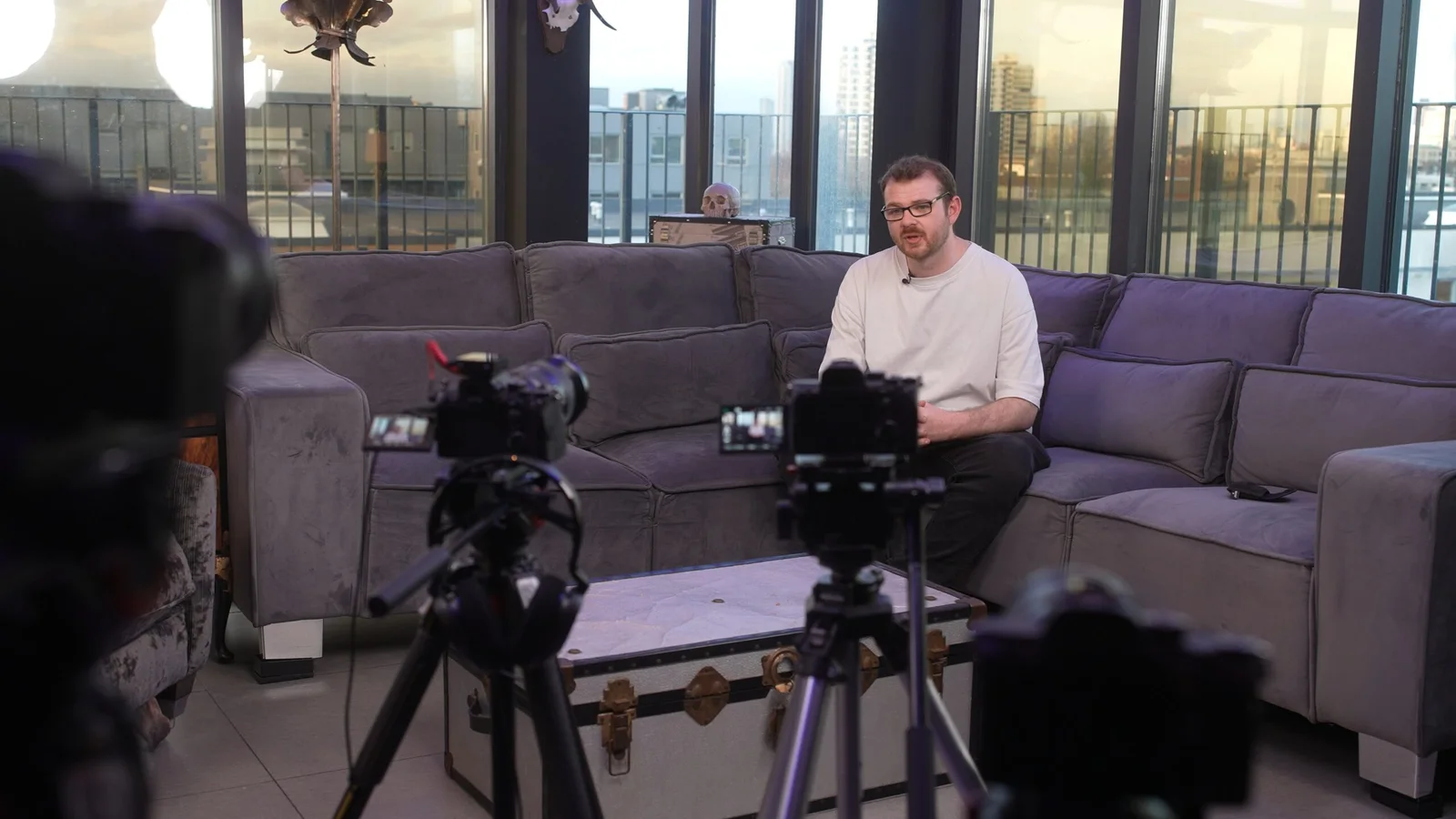
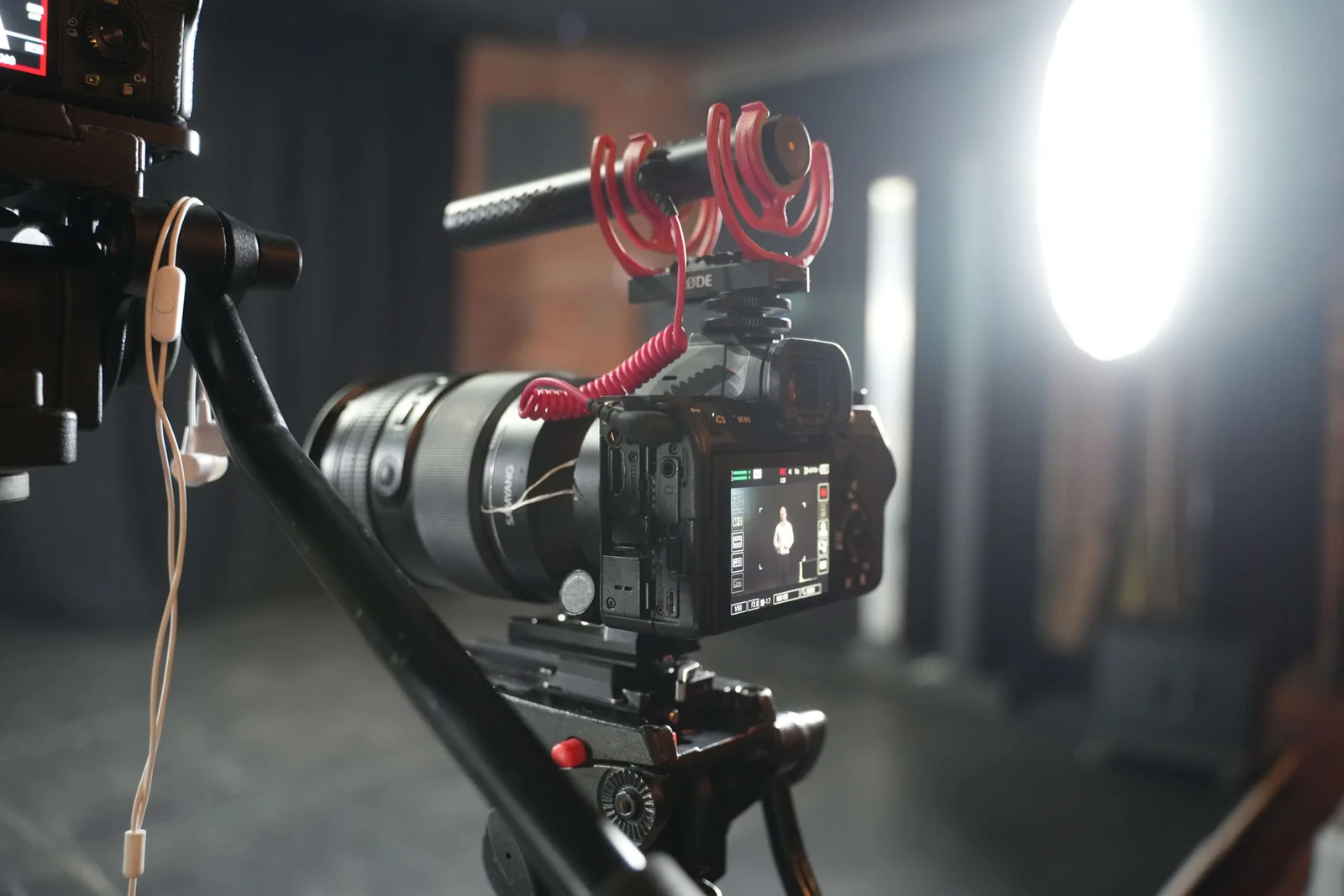
From the contributor's point of view, the setup may suddenly contain:
- one or two cameras;
- large lenses;
- lights;
- stands;
- microphones;
- a monitor showing their face;
- somebody wearing headphones.
Then everyone tells them to behave normally.
It helps to spend a minute explaining what matters.
For a typical interview we might explain:
- where to look;
- who will ask the questions;
- whether both cameras are recording;
- where the microphone is;
- whether the interviewer will be heard in the finished film;
- that pauses are fine;
- that an answer can be repeated;
- that they do not need to keep talking if they lose their train of thought.
Once the setup becomes understandable, it becomes easier to stop thinking about it.
The technical side — cameras, lighting and professional audio — is there to support the person, not to turn the room into a test. That is the approach behind our wider corporate video production work.
Start with the easiest question, not the company mission statement
The first recorded answer does not need to be the opening line of the film.
Start with something the person can answer without thinking very hard.
What do you actually do here?
How long have you worked with this team?
What are you working on today?
What happens first when this arrives?
The purpose is partly editorial.
It is also practical.
The contributor gets used to answering while the crew confirms the framing, sound and pace.
Ten minutes later, the conversation may feel completely different.
The finished film can open with an answer recorded halfway through the interview.
Nobody watching needs to know the order in which the questions were filmed.
Pauses are useful
People often panic about silence.
They finish a sentence, decide the pause sounds terrible and immediately add another sentence.
Then another.
Eventually the clean answer gets buried under three qualifications they did not need.
Tell contributors that they are allowed to stop.
A pause gives them time to think.
It gives the interviewer somewhere to ask the next question.
And it gives the editor a clean point to work with later.
If the person loses their train of thought, they do not have to rescue the sentence.
Stop.
Take a moment.
Start the thought again.
That is normal.
Professional video post-production exists partly because real people do not speak in perfect finished paragraphs.
Do not interrupt every imperfect sentence
People say “erm”.
They restart phrases.
They look away while thinking.
They take a second to find the right word.
Not every imperfection needs immediate correction.
If the interviewer keeps stopping somebody every five seconds, the contributor can begin monitoring every word they say.
That makes the next answer harder.
Let the thought finish.
There may be a perfectly usable answer on the other side of the hesitation.
If a cleaner version would help, ask again afterwards.
Sometimes the second answer is better simply because the person now knows what they wanted to say.
If an answer sounds memorised, change the task
Asking someone to “make it sound more natural” is not always helpful.
Give them a different job.
Suppose they keep delivering:
“Our experienced team provides a seamless handover process designed around each customer's individual requirements.”
Instead ask:
“I'm a new customer. I've just signed the agreement. What happens to me tomorrow morning?”
Now the person is explaining something.
If the answer is still stiff, change the imaginary audience:
“Explain it as if I'm a new colleague who starts next week.”
or:
“What would you say if a customer asked you this on the phone?”
The words usually become simpler because the person has stopped trying to perform.
Do not make them watch themselves while they speak
A monitor can be very useful for the crew.
It is not always useful for the contributor.
Seeing your own face on a large screen while trying to answer a question can make it almost impossible to think about anything else.
If the monitor is in their eyeline and they keep glancing at it, move it.
If a member of the client team genuinely needs to monitor the frame, position them somewhere that does not turn the contributor's attention into a three-way battle between interviewer, lens and screen.
The person should know exactly where their attention belongs.
Then keep that instruction consistent.
Give people something real to do
Not everybody needs to talk for the entire production.
Sometimes a person is far more comfortable demonstrating their work than describing themselves.
That can still produce excellent content.
Film them:
- showing a colleague around;
- preparing a product;
- checking equipment;
- walking through a process;
- demonstrating a piece of software;
- meeting a customer;
- setting up a workspace;
- completing a genuine part of the job.
This can become useful B-roll around somebody else's interview.
It can also make the person forget about the camera because they now have something familiar to concentrate on.
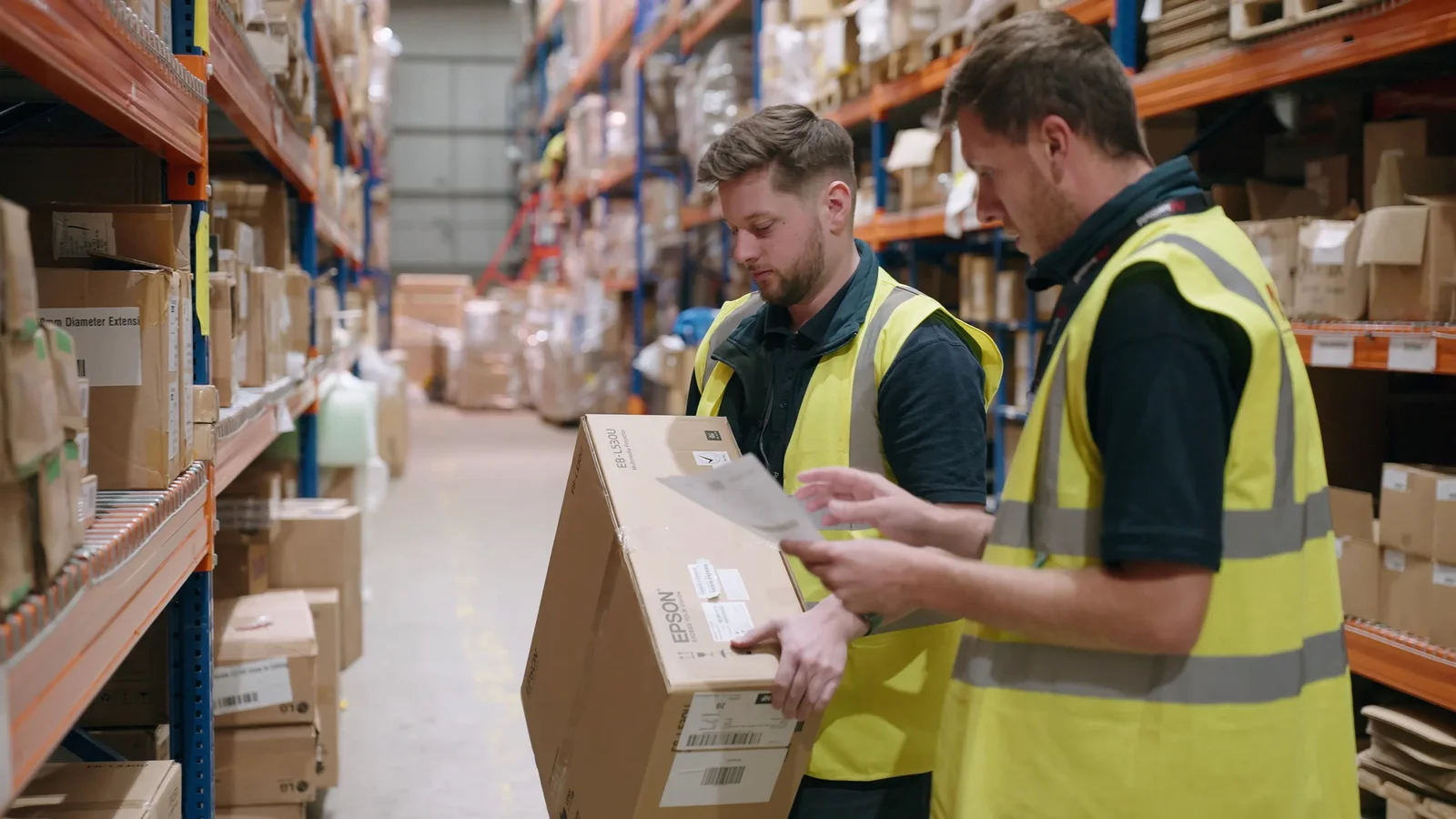
Real example: Sony × AMWORLD — give the interaction a purpose
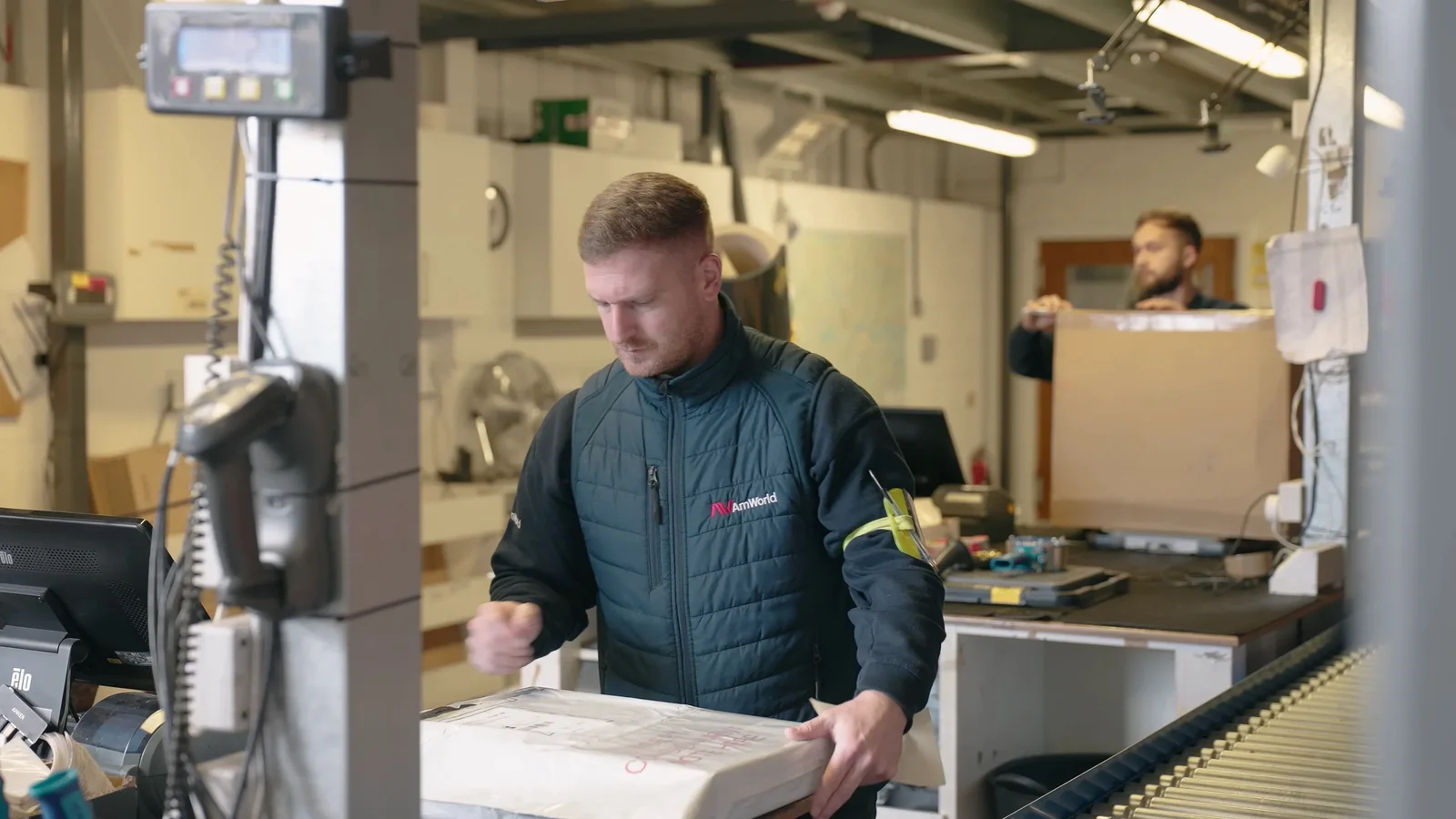
Our Sony × AMWORLD testimonial gives a good example.
The film centred on Darren from Sony explaining the working relationship with AMWORLD.
For the supporting footage, we wanted to show some of Sony's London headquarters and the relationship between the people involved.
Simply telling everyone to “have a natural conversation” while a camera circles them would have been a strange instruction.
Instead, Darren showed the visiting AMWORLD team around the headquarters.
Now there was something real to talk about.
People could walk, look at displays and respond to the environment while the camera captured the interaction.
The activity gave the footage a reason to exist.
That same principle can help with employees who are uncomfortable performing generic office B-roll. Give them a real task rather than asking them to pretend to work.
We explore that project in more detail in our guide to filming natural corporate interviews and B-roll.
Real example: Opul Life — sometimes a smaller production helps
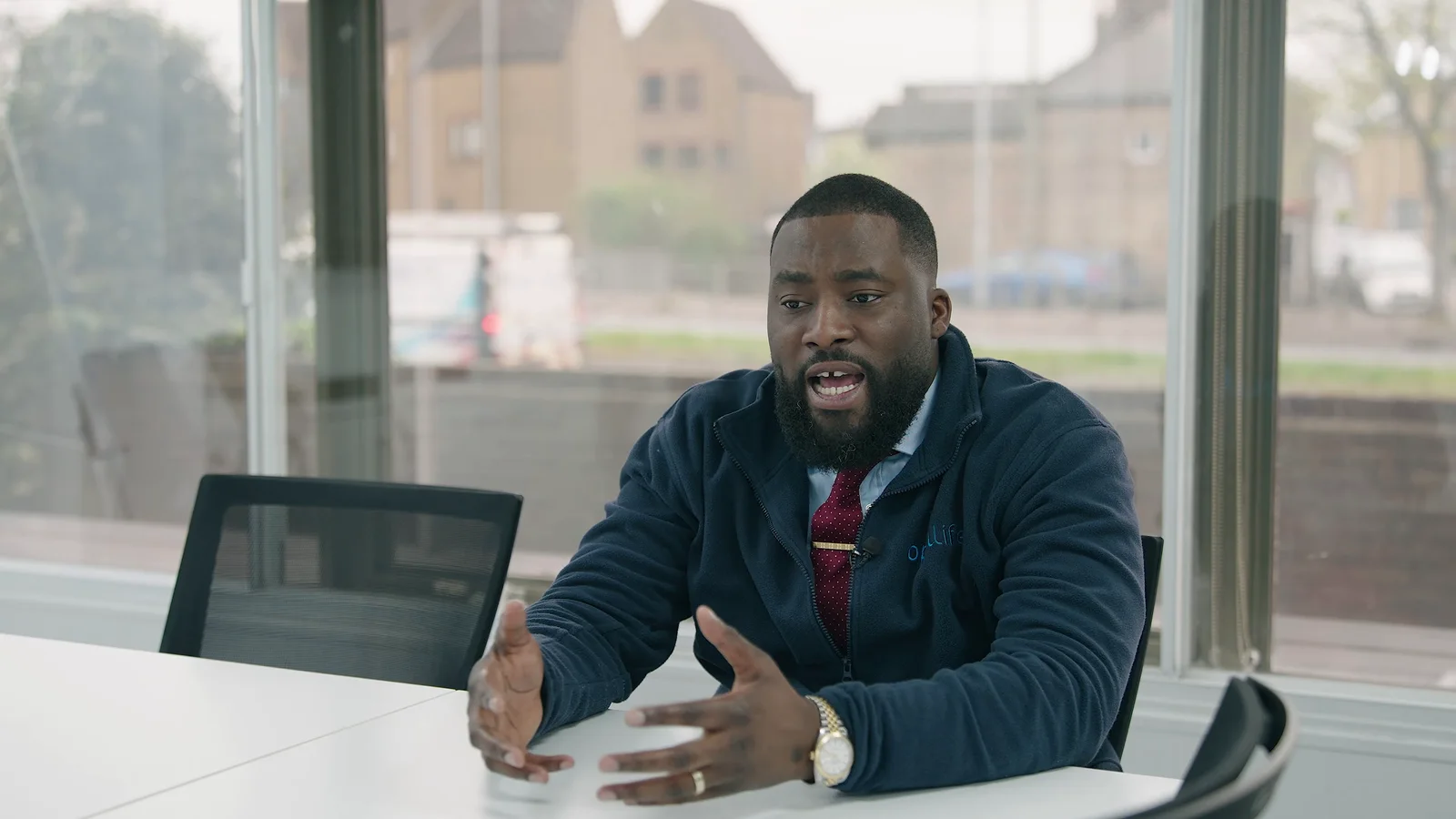
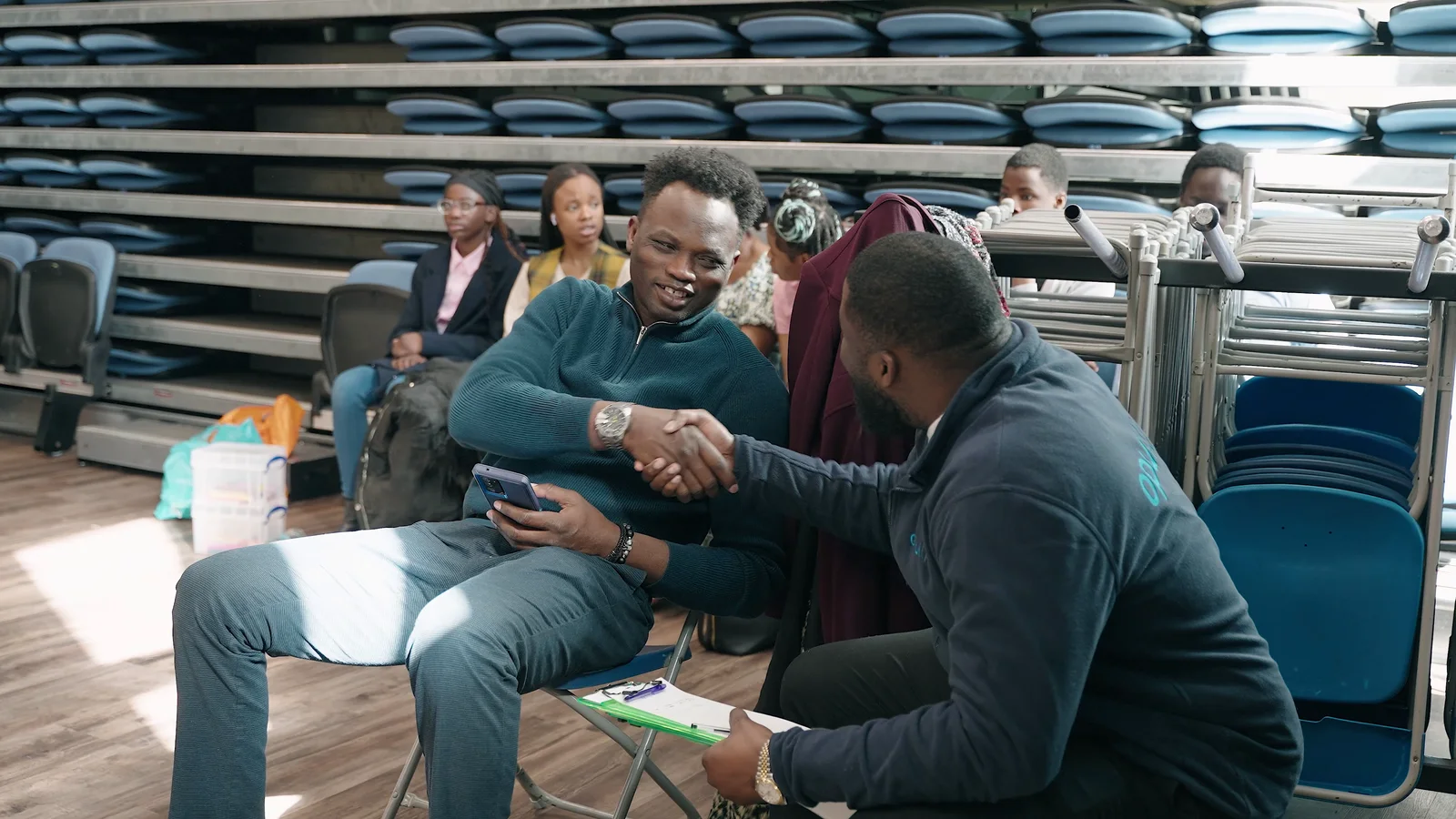
For Opul Life, the production followed the company's advisers during community outreach in Chelmsford and Colchester.
Those were real conversations in real community settings.
A large crew surrounding every interaction would have changed the atmosphere.
Instead, one videographer kept the production footprint compact and moved around the activity without turning the visits into a film set.
That gave the team room to continue speaking with people normally.
The project still included a more controlled interview with CEO Henry Dankwa at the company's Chelmsford headquarters, where the setting and lighting could be planned around the conversation.
Those two parts of the production needed different approaches.
Being comfortable on camera does not always mean getting someone comfortable performing.
Sometimes the better solution is to reduce the performance altogether.
If exact wording matters, change the production method
There is no prize for forcing somebody to memorise technical copy.
If a contributor needs to deliver detailed, exact information directly to camera, a professional teleprompter may be more appropriate.
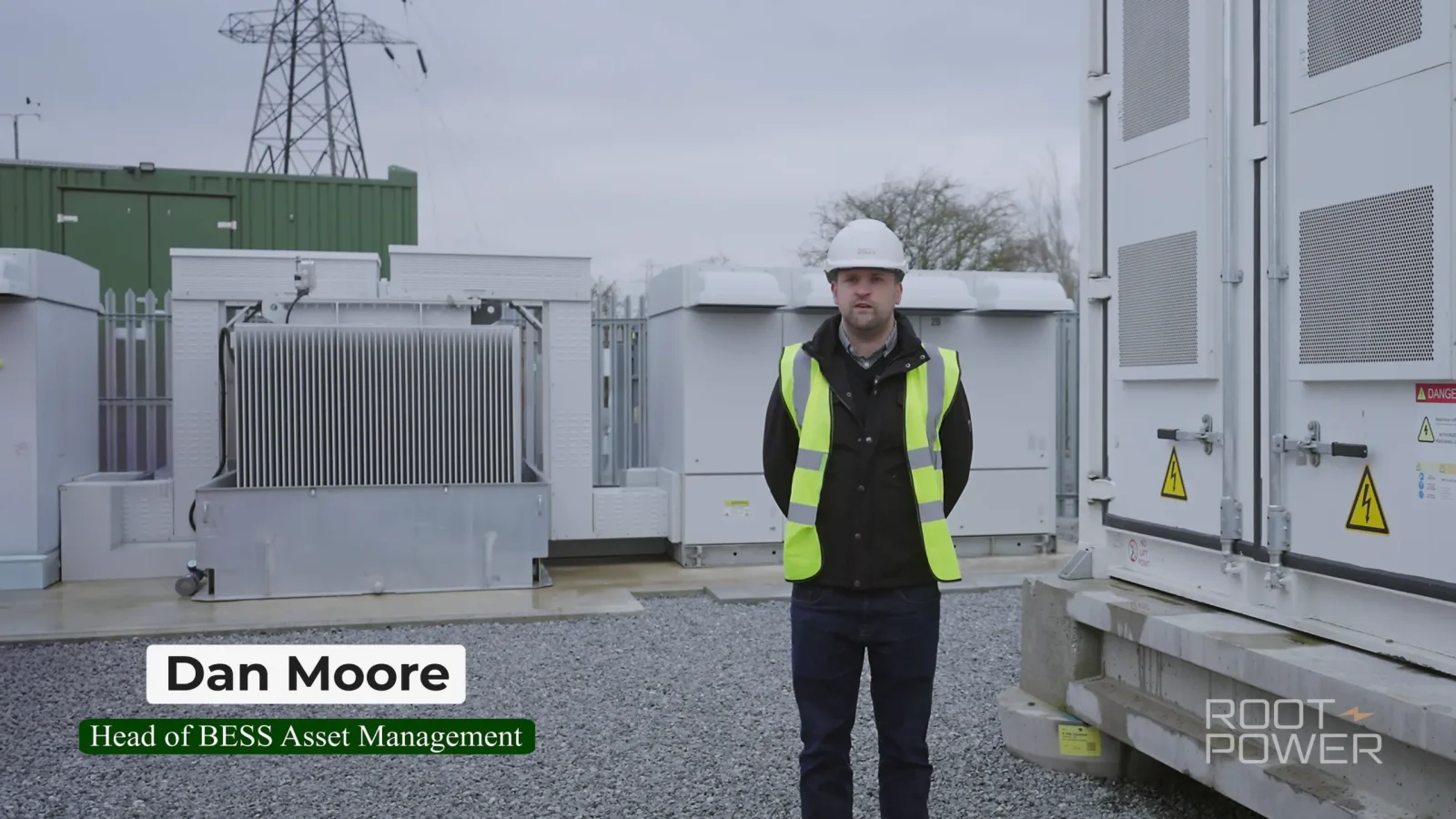
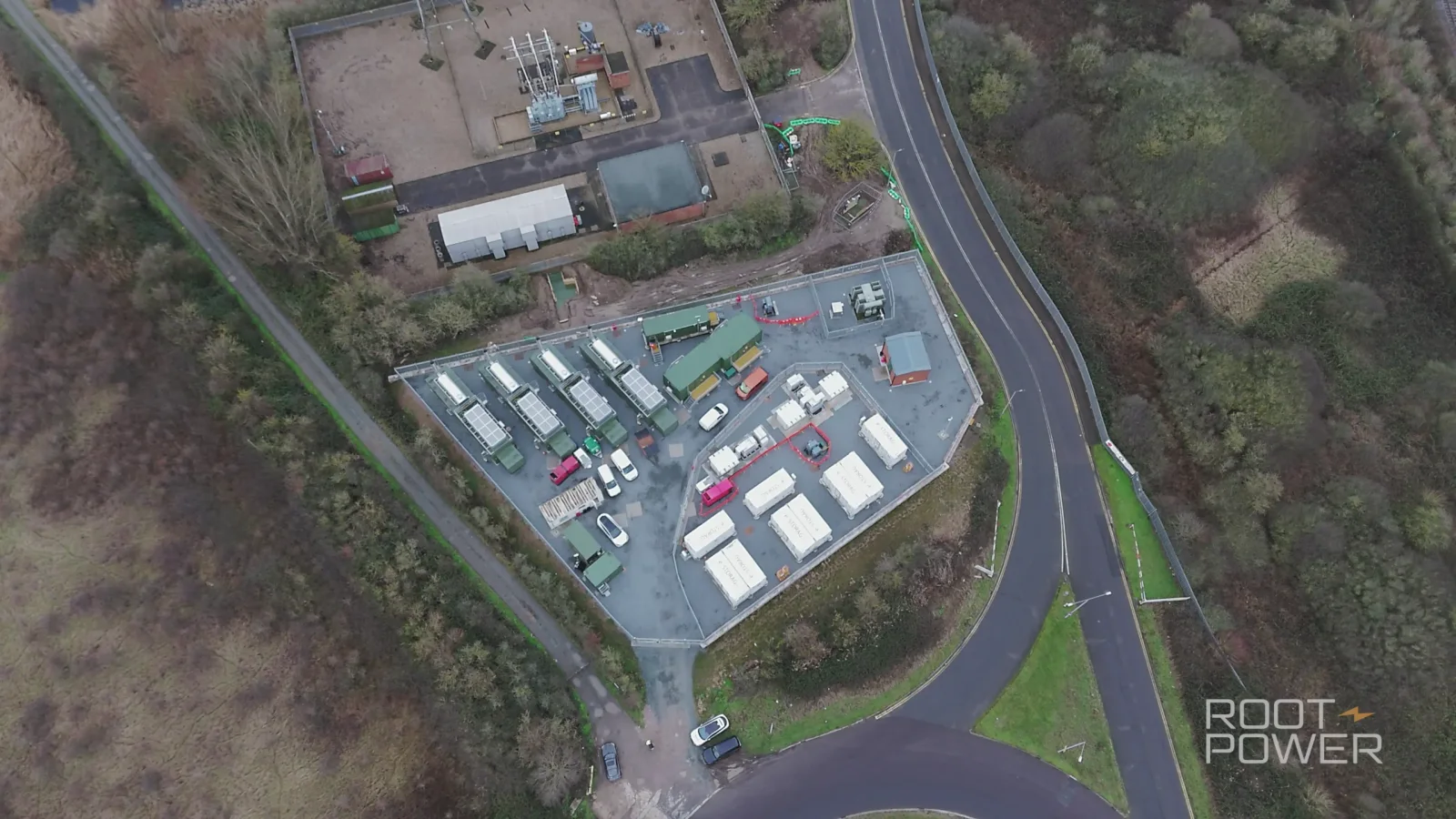
Our return visit to the Root-Power Coryton BESS project is a good example.
The contributors needed to communicate structured project updates containing detailed information. We used a teleprompter so they could deliver accurate wording directly to camera rather than relying on memory.
That is not the same kind of task as a conversational customer testimonial.
Both can look natural when they are prepared properly.
The mistake is expecting one method to do both jobs.
If exact copy is required, tell the contributor before the filming day and give them a chance to read it.
Do not invite them to “have a relaxed chat” and reveal a page of approved wording when they arrive.
Let them know that restarting is normal
There is a small but important difference between:
“No, that was wrong. Again.”
and:
“Good — we have the idea. Let's do one more clean version now that we've found the wording.”
The first turns the interview into a test.
The second treats repetition as part of production.
It is.
Doors slam.
Phones ring.
Someone walks behind the shot.
A sentence comes out backwards.
The interviewer asks a poor question.
The contributor remembers a better example afterwards.
Another take does not mean somebody failed.
Sometimes the first answer helps us discover the better question.
Correct facts, not personality
If somebody gives the wrong product name, correct it.
If they get a figure wrong, check it.
If they accidentally describe an old process, clarify it.
But be careful about directing every human characteristic out of the answer.
Their accent does not need fixing.
Their hands do not necessarily need to stop moving.
They do not need to sound like the CEO.
They do not need to use the same vocabulary as the brochure.
If the message is accurate and understandable, some individuality is usually a strength.
A film full of people who have all been coached into exactly the same corporate tone can feel much less convincing than the business intended.
Give wardrobe advice that is useful, not alarming
People often become more nervous when the pre-shoot email contains a huge list of things they are apparently forbidden to wear.
Keep it practical.
For most corporate interviews:
- wear something you feel comfortable and appropriate in;
- avoid clothing carrying branding you do not want in the film;
- bring an alternative if you are unsure;
- tell the crew if you need to wear PPE or a uniform for the work;
- make sure anything that must appear on camera is clean and ready.
Very fine repeating patterns can sometimes create unwanted interference on camera, but this does not need to become an elaborate dress code.
If the business wants everyone in a particular uniform or brand style, organise that internally before filming rather than leaving the employee to guess.
Build breaks into longer interview days
A contributor who is giving several long technical answers may need a few minutes away from the chair.
Take the break.
It is usually quicker than spending twenty minutes pushing through increasingly tired takes.
This matters even more when a filming day contains several employees.
Do not line up twelve people outside the interview room and create the feeling that everyone is waiting for the current person to finish.
Give contributors realistic arrival times.
If somebody finishes early, excellent.
If one interview runs longer because the answers are useful, the schedule still has room.
Good video production planning should protect the people as well as the equipment.
If somebody cannot remember a number, stop and check it
Do not encourage a contributor to guess because the camera is rolling.
If they are unsure whether the figure is 42%, 47% or 52%, pause.
Check it.
Then record the accurate version.
Or leave the number out of the spoken answer and add verified information later through an appropriate graphic if the production calls for it.
Confidence should never be prioritised over accuracy.
The same applies to:
- dates;
- customer names;
- regulatory wording;
- technical specifications;
- job titles;
- claims about results.
A calm pause costs almost nothing.
Publishing the wrong information costs much more.
Tell people how the edit works
Some contributors worry that one awkward pause or badly phrased sentence is going to appear exactly as it happened.
Explain that the finished film is edited.
We may:
- choose the clearest part of an answer;
- remove repetition;
- shorten pauses;
- combine useful sections from the same conversation;
- use B-roll over parts of the interview;
- add names or supporting graphics;
- clean and balance the sound.
But the meaning should remain intact.
If someone says:
“This normally takes two days, although larger jobs can take longer.”
the edit should not turn that into:
“This normally takes two days.”
if the qualification is important.
Comfort comes partly from trusting what will happen to the material afterwards.
That trust should be earned by being clear about the process, not by promising the contributor that every sentence will be used exactly as recorded.
Do not secretly turn the warm-up into the interview
Sometimes somebody sounds excellent before the “official” interview begins.
That can tempt a crew or client to say:
“We should have been recording that.”
There is an easy solution.
Be clear when recording starts.
If you want to record the initial conversation because useful material may come from it, tell the contributor.
Do not tell them the camera is off, let them think they are speaking privately and then use the footage because it happened to sound natural.
A genuine conversation works because the person understands the situation, not because they have been tricked into forgetting it.
A simple first ten minutes
When somebody sits down for a corporate interview, this is a sensible order:
1. Introduce everyone
Who is asking questions?
Who is operating the camera?
Does anyone else need to be in the room?
2. Explain where to look
Usually that is the interviewer rather than directly into the lens.
If it is direct-to-camera, say so clearly.
3. Explain the microphone
Tell them where it will be placed and what you need from them.
Ask before adjusting clothing or attaching equipment.
4. Explain what happens if they make a mistake
They can pause.
They can start again.
They do not need to apologise.
5. Ask something easy
Start with the subject they know.
Not the polished company slogan.
6. Let the conversation settle
Do not immediately give five pieces of performance feedback.
The first few minutes are often simply people getting used to the room.
What if they are still uncomfortable?
Do not assume the answer is more takes.
Change something.
Could they:
- speak to a familiar colleague instead of directly to camera?
- stand rather than sit?
- sit rather than stand?
- answer shorter questions?
- demonstrate the process rather than describe it?
- take a break?
- move to a quieter room?
- use bullet points?
- deliver exact wording through a teleprompter?
- contribute through voice-over instead?
- appear in B-roll without carrying the interview?
The best production choice may be to change the format.
A corporate film does not become more authentic by forcing a visibly uncomfortable employee through twenty takes of something they never wanted to present.
The point is to communicate clearly.
There is usually more than one way to do that.
What should the manager do on filming day?
Mostly: make the practical side easy.
Make sure the employee has time in their diary.
Make sure the room is available.
Make sure colleagues know an interview is happening nearby.
Make sure the person knows what the film is for.
Make sure any facts they need are available.
Then give the interviewer room to work.
If you need to correct something, wait until the answer ends and be specific.
Avoid standing directly beside the camera mouthing the preferred wording.
Avoid telling somebody to “be more energetic” without explaining what information is missing.
And if the answer is already useful, resist the temptation to keep going simply because the room is booked for another twenty minutes.
Real employees are often better than polished presenters
For many business and brand films, the employee's value is precisely that they are not an actor reading marketing copy.
They know the product.
They have done the work.
They have spoken to the customers.
They can describe details that make the business feel real.
The production team's job is to make that knowledge easy to capture.
That means good questions.
A sensible room.
Professional sound.
Appropriate lighting.
Clear expectations.
Enough time.
And a filming environment where somebody can stop thinking about “being good on camera” and start thinking about the thing they actually know.
If you are planning a film with staff, customers or other contributors, tell us who needs to be involved. We can plan the interview format, crew and schedule around the people rather than expecting the people to adapt to an unnecessarily intimidating production.