
How Long Should a Corporate Video Be?
Two minutes is not a strategy.
Neither is ninety seconds.
If the first discussion about a corporate video is already an argument about whether it should be 60 seconds, two minutes or three, the project has skipped a more useful question:
What does the viewer actually need from this film?
A homepage introduction, a customer case study, a recruitment film and an internal training video can all be described as corporate video.
They should not all be the same length.
The right runtime is long enough to communicate the useful part properly — and short enough to remove everything that does not earn its place.
A relevant four-minute film can feel much shorter than a vague ninety-second film that spends its first thirty seconds saying very little.
So rather than starting with a number, start with the job.
A useful rule: choose the purpose before the runtime
Before discussing minutes, finish this sentence:
After watching this video, the viewer should…
For example:
…understand what our company actually does.
…believe that our customer has genuinely used the service.
…know whether this job is right for them.
…understand the first stage of this technical process.
…feel confident enough to request a quote.
…be able to complete this task safely.
Those are very different viewing jobs.
A short homepage film may only need to orient the viewer and create enough interest for them to explore the website.
A testimonial needs enough detail for the customer to sound believable.
A training film may need to preserve every important step even if that makes it longer.
This is why we treat runtime as an outcome of the brief, not a technical specification that needs deciding before planning the corporate video.
So what are sensible starting points?
There are useful planning ranges, as long as they are treated as starting points rather than rules.
| Type of video | Useful starting point | Why it may need to change |
|---|---|---|
| Homepage / company introduction | Around 1–3 minutes | The website already carries detail, so the film usually needs orientation rather than the whole company story |
| Customer testimonial / case study | Around 2–5 minutes | The viewer may need the customer's situation, experience and outcome to make the story credible |
| Service or process explainer | Around 1–4 minutes | Simple services can be concise; technical processes may need demonstrations and context |
| Recruitment / employer-brand film | Around 1.5–4 minutes | A campaign film may be short, while a role-specific film may need more reality and detail |
| Expert interview / thought leadership | Around 3–10+ minutes | High-intent viewers may actively want depth if the subject answers a real question |
| Training / internal communication | As long as the learning objective requires | Accuracy and comprehension matter more than an arbitrary promotional runtime |
| Social or campaign cut-down | Usually measured in seconds rather than several minutes | One focused point generally works better than compressing the whole company story into a small slot |
These are not platform laws.
A strong sixty-second case study is possible.
A useful ten-minute technical explanation is possible.
The important question is whether the additional time is delivering useful information or simply preserving material because somebody worked hard to film it.
Homepage videos: the website is doing some of the work
A homepage video does not exist on its own.
The viewer can usually see:
- the headline;
- navigation;
- service pages;
- client logos;
- case studies;
- pricing or enquiry links;
- supporting copy.
The film therefore does not need to become a spoken version of the entire website.
For many businesses, a homepage film only needs to answer a few things quickly:
What kind of organisation is this?
Who is it for?
What feels distinctive or credible about it?
What should I look at next?
Trying to add the company history, every service, every location, recruitment messaging, three testimonials and the founder's life story tends to produce one of two things:
a long film with several unrelated sections;
or a short film that races through everything so quickly that nothing lands.
It is often better to create one clear overview and let more focused videos take over afterwards.
Our guide to using video on a company website looks at where homepage films, service videos, testimonials and background loops fit into the wider site.
Real example: Sony × AMWORLD at 3 minutes 2 seconds
Our Sony × AMWORLD corporate testimonial runs for 3 minutes 2 seconds.
That is not because we believe 3:02 is the perfect corporate-video length.
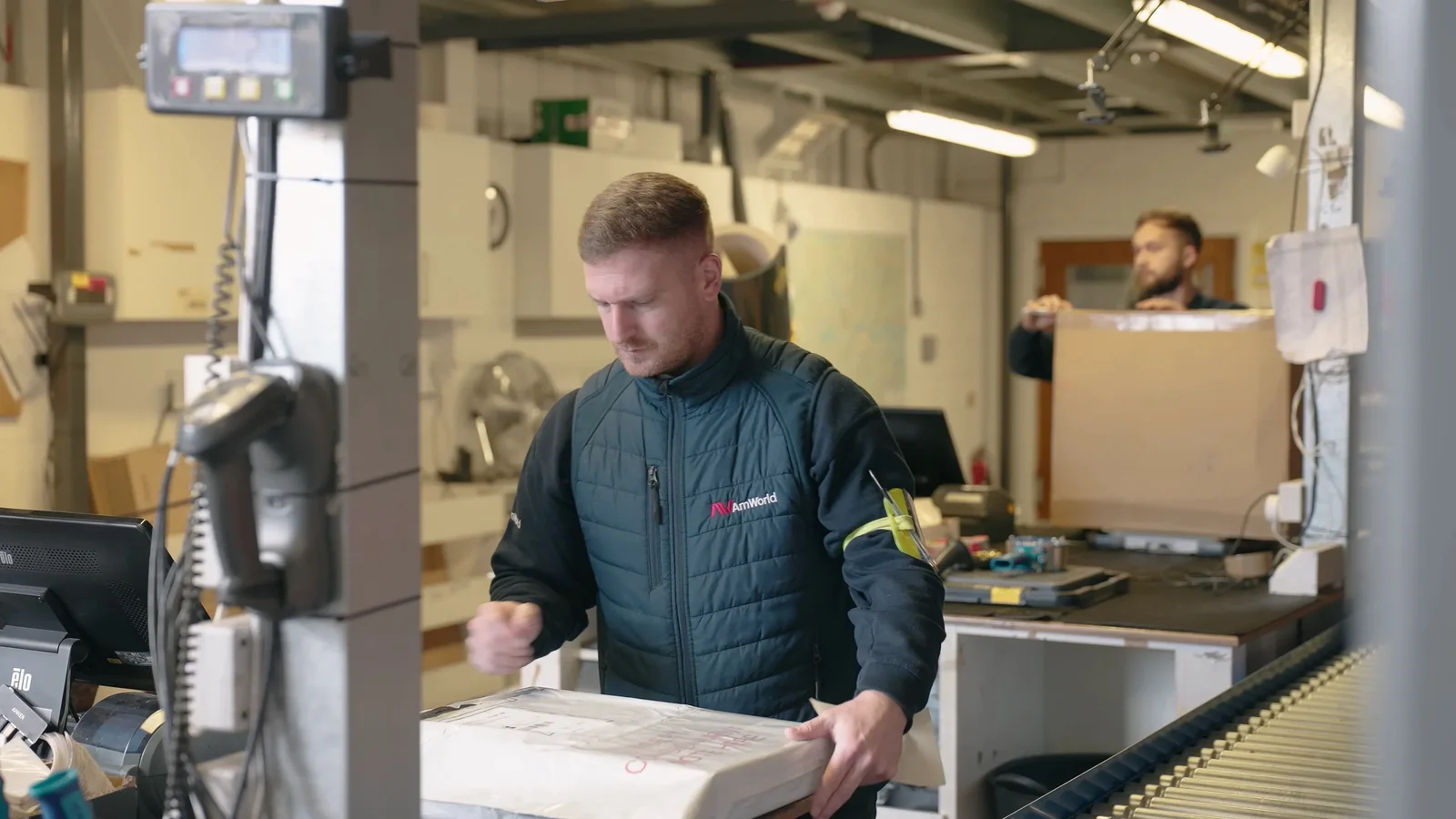
It is because the film needed enough room for Darren from Sony to explain a specialist working relationship while supporting footage gave the audience context around the people, place and work.
The interview covers how AMWORLD supports Sony across areas including logistics, fulfilment, launches and events.
If we had forced the film to stop at sixty seconds, we could have made it shorter.
We would also have removed much of the detail that made the testimonial useful.
On the other hand, there was no reason to leave the full interview in place simply because it had been recorded.
The edit keeps the useful explanation and removes repetition.
That is the balance.
For a testimonial, credibility needs enough space to develop, but the viewer does not need every answer the contributor gave on the day.
Our guide to interview videos versus testimonial videos explains why a customer story often needs a different structure from a general expert interview.
Case studies need enough context to mean something
A customer saying:
“They were brilliant. We would definitely recommend them.”
is positive.
It is not much of a case study.
A stronger film may need to establish:
- Who is the customer?
- What situation were they in?
- What did they need?
- What happened?
- What changed or worked well?
- Why does that matter to someone considering the same service?
That can require more than a minute.
The viewer needs enough detail to decide whether the customer's experience is relevant to their own situation.
This is why cutting every testimonial to an arbitrary social-media length can remove the very information that gives it value.
A better approach can be:
- a fuller case study for the website;
- a shorter proof point for LinkedIn;
- a concise customer quote;
- one or two subject-specific extracts.
One interview can support several viewing situations if those outputs are planned before filming.
Long is not the same thing as slow
People often talk about video length when they actually mean pacing.
A three-minute film can feel slow because the opening repeats the page headline, the same point is made three times and every shot lasts longer than the information requires.
A five-minute film can feel focused because the viewer keeps learning something.
Pacing is about how efficiently the film moves through useful ideas.
It does not mean cutting every shot every 1.5 seconds.
Complex information sometimes needs time.
A diagram may need to stay on screen long enough to read.
A customer may need a pause before an important answer.
A process demonstration may become confusing if every step is shortened.
The goal is not maximum speed.
It is minimum waste.
The opening often matters more than the final runtime
If a homepage film takes forty seconds to explain why the viewer should care, reducing the total from three minutes to two may not solve the real problem.
The beginning still wastes forty seconds.
A useful opening gets to the subject.
That could mean:
- showing the problem immediately;
- starting with a strong customer observation;
- showing the product in use;
- introducing the unusual part of the process;
- placing the viewer inside the working environment;
- making the central promise clear.
You do not necessarily need a twenty-second animated logo, a slow aerial of the office and three lines of corporate mission statement before anything happens.
The audience should understand why the film is relevant before asking them for several minutes of attention.
This is particularly important when the viewer did not actively search for the film and encounters it through a campaign or social feed.
Recruitment video length depends on what candidates need to know
A recruitment film can be very short if its job is simply to introduce a campaign.
But if it is supposed to help someone decide whether to apply, atmosphere alone may not be enough.
Potential applicants may want to understand:
- what the work actually involves;
- who they will work with;
- what the environment looks like;
- what surprised existing employees;
- what progression looks like;
- whether the values on the careers page are visible in real working life.
A ninety-second employer-brand montage can create interest.
A more detailed role-specific film can help someone assess fit.
Those are different jobs.
There is no reason one production cannot create both.
If several employees are appearing, our guide to helping employees feel comfortable on camera is also worth planning around before deciding how much interview content the final film should contain.
Training videos should not be shortened until they become incomplete
This is where arbitrary runtime targets can become actively unhelpful.
If somebody needs to learn how to complete a process correctly, the film must contain the necessary information.
Cutting an important step because “people won't watch anything over three minutes” is not a sensible production decision.
The better question is often whether a long subject should become several modules.
Imagine a 24-minute training programme containing four distinct tasks.
One 24-minute file may be appropriate.
But four clearly labelled sections may be easier to revisit, update and assign.
Breaking the content apart also lets an employee return directly to the part they need without searching through the entire programme.
Runtime should follow the learning structure.
A captive audience is not permission to waste their time either. Mandatory video still benefits from clear writing, useful demonstrations and removal of repetition.
Internal communications can be short — until the information is not
A leadership update might only need two minutes.
A significant operational change may need ten.
An internal film explaining a new system might need several focused modules.
The fact that employees are the audience does not create one standard length.
Our guide to internal communications video looks at what is actually useful to capture rather than assuming every internal message needs a polished company film.
The more practical the information, the more important it is that speed does not damage comprehension.
Real example: one workshop needed several different runtimes
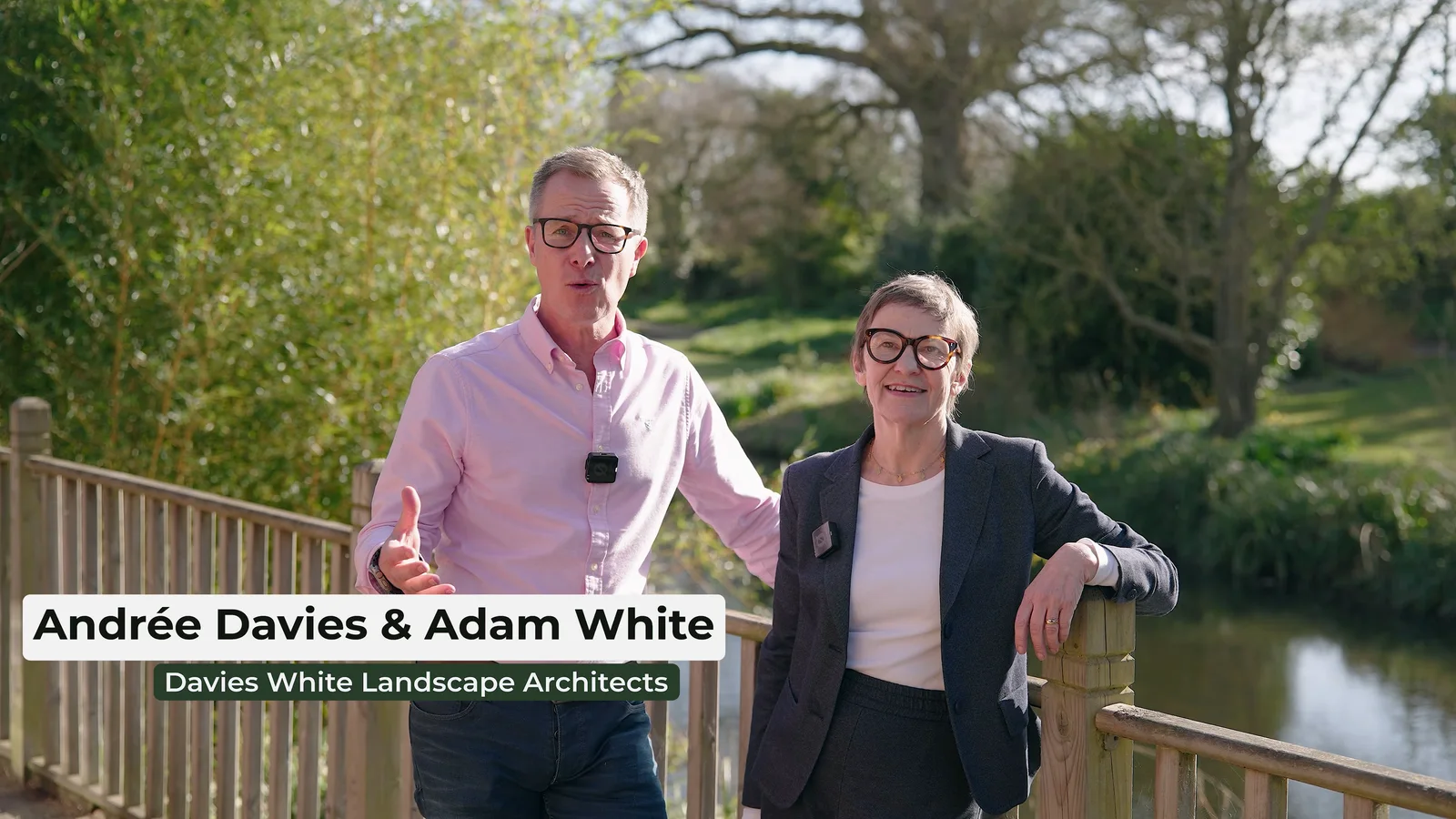
Our Davies White × Beth Chatto Gardens workshop project is a good example of why one event does not need one video length.
The main promotional film runs for 3 minutes 44 seconds.
But that was only one part of the delivery.
The project also included:
- a 30-second teaser;
- edited speaker content;
- individual speaker films;
- 10 participant interview clips.
The promotional film had time to explain the ideas and show the atmosphere of the workshop.
The teaser had a different job: introduce the event quickly.
The speaker content needed to preserve more detail.
The participant clips had to work as individual perspectives.
Trying to make all of those outputs the same duration would have been pointless.
The correct length changed because the viewer and purpose changed.
That is often the answer for businesses with a lot to communicate: stop trying to make one film do every job.
One production can create a family of content
Suppose a company has filmed:
- a managing director interview;
- two customer interviews;
- a technical demonstration;
- workplace B-roll;
- a product sequence.
The temptation is to build one huge corporate film containing all of it.
But perhaps the better delivery is:
Main company film
A concise overview introducing the business.
Customer case study
A fuller customer story for prospects already evaluating the service.
Technical explainer
A focused video answering a recurring practical question.
Three short clips
Standalone extracts for campaign and social use.
Background loop
A short silent visual sequence for a website section.
Now each piece can be the length its job requires.
Our guide to creating a month of social-media content in one filming day uses the same principle at a larger scale: define the individual pieces first, then capture footage that can support them.
Do not confuse the master film with every version of the master film
A two-minute landscape film and a two-minute vertical crop are technically the same duration.
They are not automatically the same edit.
A wide composition may not work in portrait.
Captions may need a different position.
An opening designed for someone arriving through the website may be too slow for a campaign placement.
A call to action may need to change.
This is why we prefer to define the distribution plan before filming rather than simply promising that every finished video can be “made into social media” afterwards.
Our guide to short-form versus long-form video goes deeper into the difference between the jobs those formats perform.
How much of an interview should survive the edit?
Usually, much less than was recorded.
A thirty-minute interview is not a thirty-minute final film.
Long conversations are useful because they give the contributor room to:
- settle into the interview;
- find better wording;
- explain examples;
- correct earlier answers;
- explore several themes;
- provide clean standalone statements.
The post-production process then identifies what the film actually needs.
That may mean a 30-minute conversation contributes 90 seconds to a company film.
Or it may become a five-minute standalone expert interview.
The amount recorded and the amount delivered are different measurements.
This is also why judging an interview by the raw footage can be misleading. Repetition, pauses and exploratory answers are normal source material.
B-roll can make a longer film easier to understand
A four-minute uninterrupted talking head can feel demanding even when the subject is good.
A four-minute interview-led film with meaningful B-roll can be much easier to follow because the viewer sees the people, place, product or process being discussed.
Useful supporting footage can:
- clarify an explanation;
- establish a location;
- show the scale of an operation;
- demonstrate a process;
- provide visual evidence;
- break up a long interview;
- help the editor move between answers.
That does not mean covering every sentence with another image.
Sometimes seeing the contributor's expression is the most useful picture.
B-roll helps runtime when it improves comprehension and pacing, not when it simply keeps the screen busy.
Should we cut a film because analytics show people leave?
Sometimes.
But retention needs interpretation.
If viewers consistently leave at the exact moment a repetitive section begins, that is useful information.
If they leave after receiving the answer they came for, the film may have succeeded.
If they leave immediately, the issue may be:
- the wrong audience;
- a misleading thumbnail or headline;
- a slow opening;
- poor page placement;
- irrelevant content;
- technical playback problems.
A graph does not automatically tell you that “videos over 90 seconds do not work”.
Use the data to ask a better question:
What happens in the film at the point people leave?
Then improve that.
Runtime should change with viewer intent
Someone scrolling LinkedIn has not necessarily chosen to watch your company film.
Someone who has clicked a case study on your website has shown more intent.
Someone searching YouTube for a detailed explanation has actively requested information.
An employee completing training needs a complete answer.
A boardroom audience watching a film during a presentation cannot simply choose another page.
Those viewing situations are not equivalent.
The more intentional the viewing, the more room you may have to explain something properly.
This does not mean high-intent viewers want long videos.
It means they may accept useful depth.
Do not confuse willingness to learn with willingness to tolerate filler.
A film shown at an event has another kind of deadline: the room
Imagine a three-minute company film playing on a website.
The viewer can pause.
They can leave.
They can scroll down.
Now imagine the same film playing on a large screen in front of 300 people before a speaker walks on stage.
The room experiences the film together.
That changes the edit.
The opening needs to work from the back of the room.
Text needs enough time to be read.
Audio needs to carry the message.
The ending may need to land cleanly into the next part of the event.
Runtime may also be fixed by the running order.
A three-minute slot really may need a film that finishes within three minutes.
That is a genuine runtime constraint.
“Marketing likes the number three” is not.
Scripts make runtime easier to predict
A scripted film can be timed before filming.
Read the script at the intended delivery pace.
Allow time for:
- visual sequences;
- demonstrations;
- graphics;
- title cards;
- pauses;
- transitions;
- on-screen text.
Do not simply divide the word count by a fast speaking rate and assume the final film can race through the script.
People need time to understand it.
Interview-led films are less predictable because the best structure appears after reviewing the answers.
You can still plan the topics and likely shape, but the final runtime should follow the strongest material rather than forcing every contributor into identical thirty-second slots.
Our guide to scripted versus unscripted corporate video explains where each approach gives you more control.
Accessibility can add time — and that is not wasted time
If a film contains captions, diagrams, statistics or other on-screen information, the viewer needs enough time to process them.
A title that flashes on screen for half a second technically exists.
It is not necessarily useful.
The same applies to:
- subtitles;
- names and job titles;
- instructions;
- diagrams;
- translated captions;
- product labels;
- safety information.
Trying to compress a film can make all the required information present while making none of it comfortable to read.
If the content genuinely needs another few seconds for comprehension, those seconds are doing a job.
Do not leave the runtime decision until the very end
Although final length should follow the edit, you still need a target shape before filming.
If the brief calls for:
one 90-second homepage film
that affects:
- how many ideas can fit;
- how many contributors are sensible;
- how much interview material should survive;
- how quickly the story needs to establish itself;
- how much supporting footage is needed;
- whether secondary points need separate films.
If the same brief instead calls for:
a four-minute case study plus three short extracts
the interview and shot planning can give those outputs more room.
The target does not need to be exact to the second.
But the crew and editor should know whether they are building a concise introduction, a detailed case study or a long-form resource.
A simple runtime test
When reviewing a first edit, ask these questions in order.
Does the viewer understand why this matters early enough?
If not, shortening the ending will not fix the opening.
Is anything being said twice?
Corporate films often repeat the same idea through the presenter, interview, graphic and voice-over.
Keep the strongest version.
Does every section belong to the primary purpose?
Interesting does not automatically mean relevant.
A good anecdote can still belong in another video.
Is evidence given enough time?
Do not shorten the useful part simply to preserve an arbitrary target.
Could one section become its own video?
If a company overview suddenly contains a three-minute technical explanation, that may be a sign the explanation deserves a separate home.
Does the ending finish the job?
Do not keep talking after the film has already made its point.
And do not end so abruptly that the viewer has no idea what to do next.
When should you make two versions?
Create separate versions when the viewing situation genuinely changes.
Good reasons include:
- website versus paid campaign;
- landscape presentation versus vertical social use;
- full case study versus short sales proof;
- public version versus detailed internal version;
- main film versus silent background loop;
- complete training versus individual modules.
Less useful reasons include:
“Can we have a 60-second, 90-second, two-minute and three-minute version just in case?”
Every additional version creates more editing, review, captions, export and file management.
If nobody knows where a version will be used, it may not need to exist.
Our guide to video editing costs explains why additional deliverables still require post-production even when they share the same source footage.
The best question is not “How short can we make it?”
It is:
What is the shortest version that still does the job properly?
Sometimes the answer is twenty seconds.
Sometimes it is three minutes.
Sometimes it is a twelve-minute technical explanation.
Sometimes the better answer is three separate videos rather than one.
The viewer does not care whether the marketing team originally wanted a two-minute film.
They care whether the video is relevant, clear and worth the time it asks from them.
What should you tell a production company about runtime?
You do not need to arrive with an exact number.
A much more useful brief would say:
We need a concise video for our homepage that introduces the business without explaining every service. We are happy for you to recommend the final runtime.
or:
We need a customer case study for prospects who are already considering the service. We want enough detail to explain the customer's original problem and experience, even if the film is longer than a typical homepage video.
or:
This will play at an awards event and we have a strict two-minute slot in the running order.
Those statements tell us why the duration matters.
From there, the structure can be planned properly.
If you are still working out the overall production, start with our corporate-video planning guide or the main corporate video production service.
And if you already know the audience, purpose and where the film will be shown, send us the rough brief. We can recommend a useful runtime rather than asking you to choose a number before the story exists.